
Request a correction to working hours
Report an incorrect time entry in the cash register – the management decides via the Web desk.
Forgot to clock out or clocked in late? You don't change your hours yourself; you submit a request. Management reviews it and either approves or rejects it.
Step 1 of 4
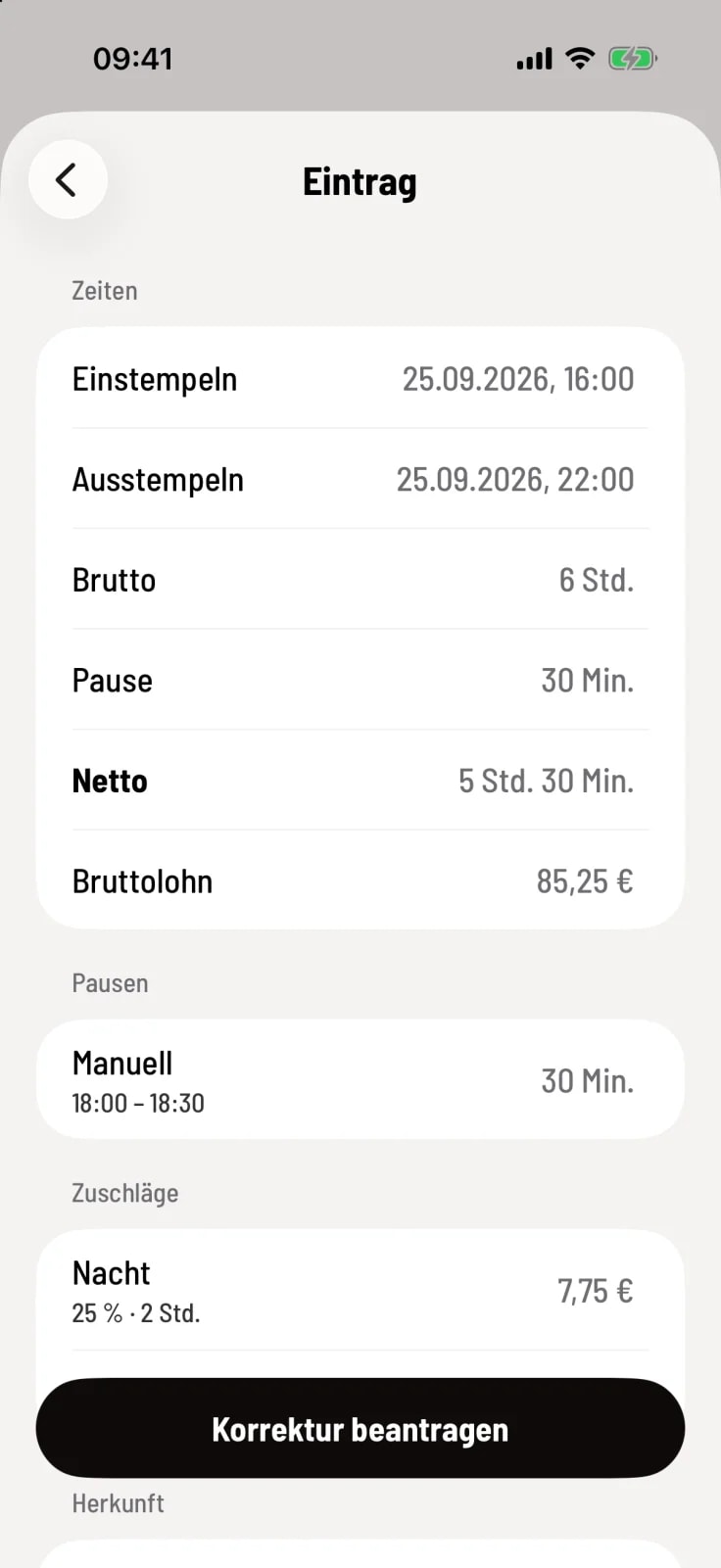
Open entry
Open My Times, tap on the entry and then tap Request Correction at the bottom.
Step 2 of 4
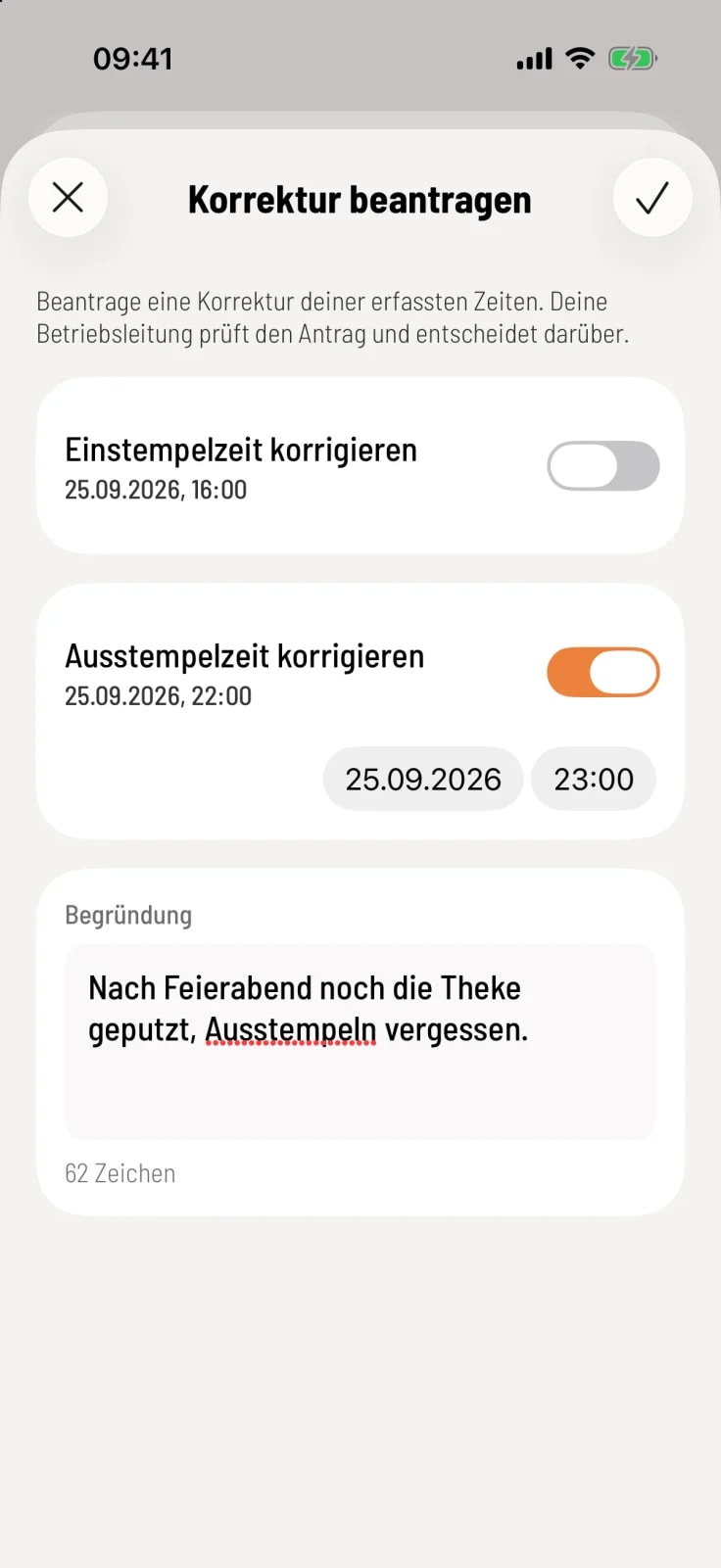
State time and reason
Activate Correct clock-in time or Correct clock-out time and set the date and time correctly. Enter at least 10 characters under Reason and tap the checkmark in the upper right corner.
Step 3 of 4
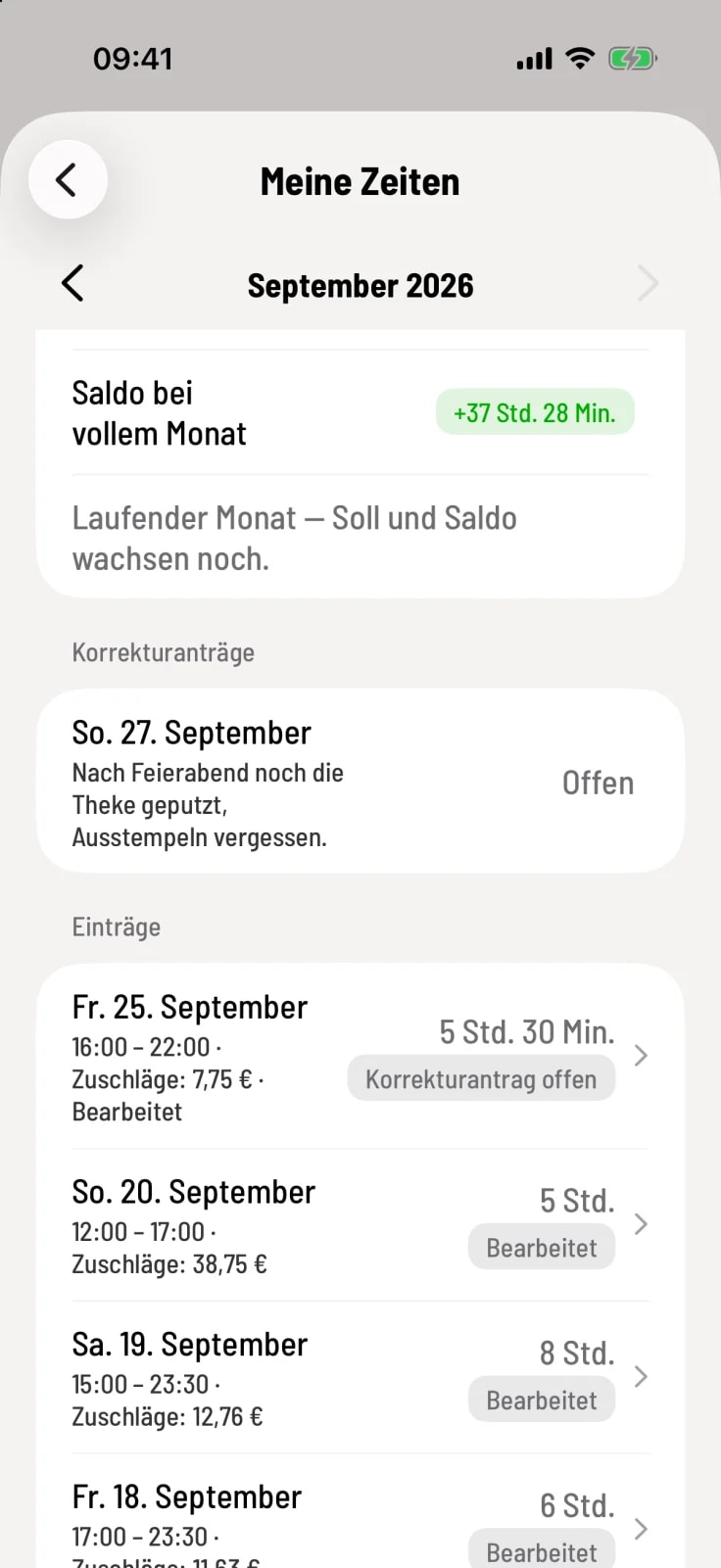
Follow up on application
In My Times, the Correction Requests card appears with the status Open, Approved, Rejected or Withdrawn – with name and comment after the decision.
Step 4 of 4
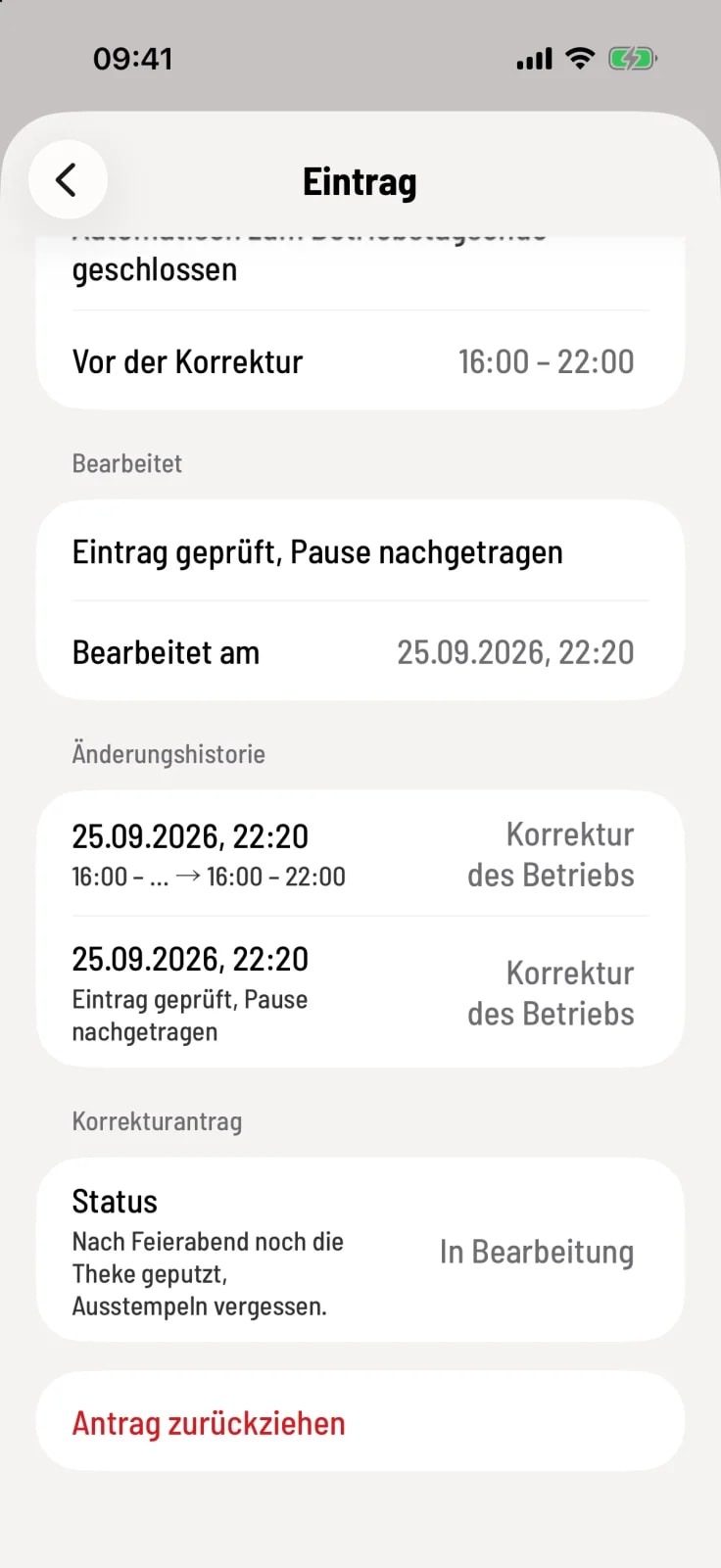
Withdraw application
As long as the request is pending, it will be listed under Correction Request. You can withdraw it after a follow-up question by clicking Withdraw Request.
Only one application can be open per entry. If management approves, Servire recalculates net pay, wages, and bonuses. How it decides on applications: correcting time entries and deciding on correction applications.