
Evaluate personnel and scorecard
Revenue, tip and quotas per person – and how someone compares to the team.
The Personnel page shows who has the Employee Evaluation right; the owner always does. The scorecard, including Max, hours, and revenue per hour, is only available with time tracking.
Under Statistics → Staff, you'll find information for each individual, including sales, orders, average order, average per guest, tip, tip, tip and discount rates, and length of stay. The last row shows the team average. Clicking on a column header sorts the data accordingly.
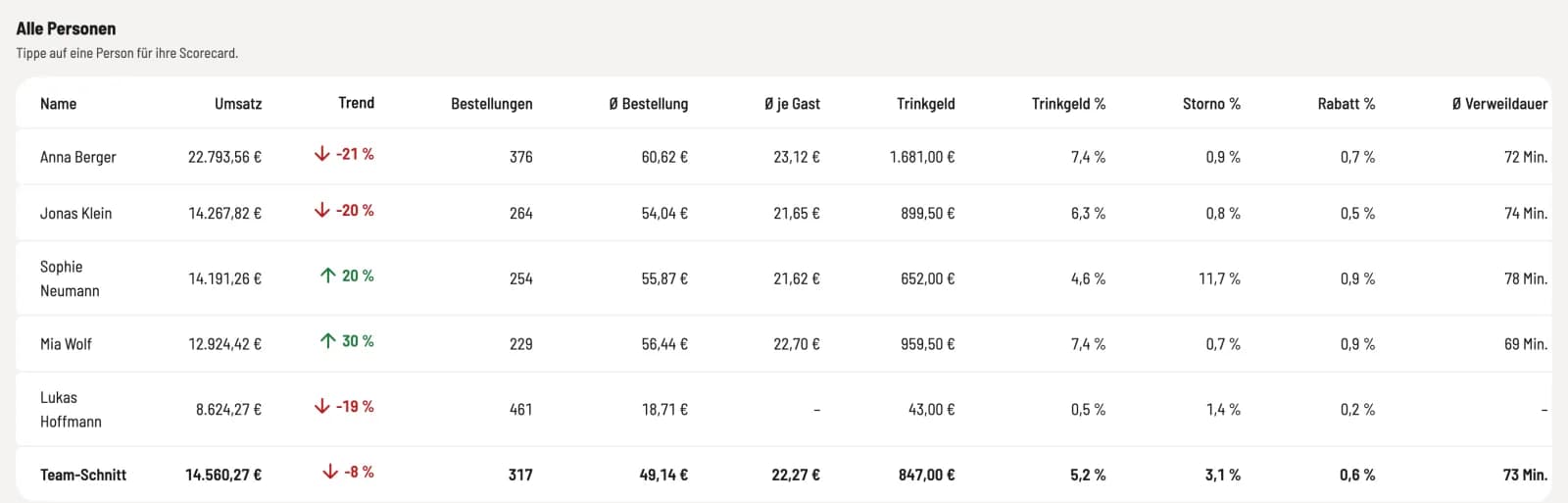
Step 1 of 2
All persons
The revenue counts for the person who handled the payment – or for the person to whom the payment was allocated during settlement.
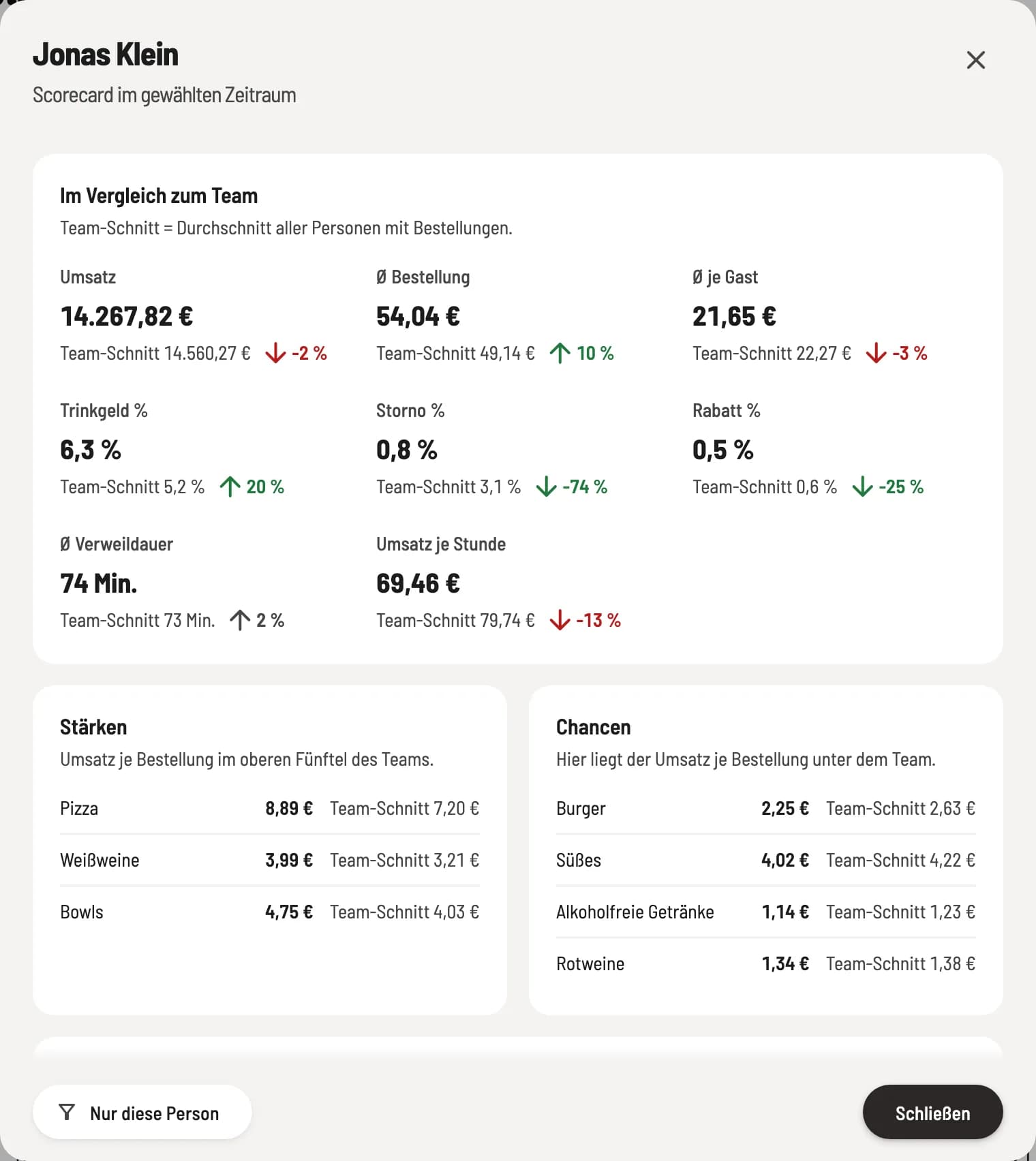
Step 2 of 2
Scorecard
Clicking on a person opens their scorecard: every key performance indicator (KPI) alongside the team average, plus strengths and opportunities for each category. Only this person can filter the entire statistics.
Hours and revenue per hour
With time tracking, the columns Hours and Revenue per Hour are added. If you filter by time, channel, day of the week, time of day, area, or category, these columns remain empty, and a note explains why: Working time cannot be allocated to a specific segment of revenue.
In the cash register app, each server sees their own figures: My data: earnings, sales and key figures.