
My data: earnings, sales, and shift reports
View your own monthly earnings, sales, tip and shift reports in the cash register.
Time tracking is active and you are not exempt. Whether monetary amounts are visible is determined by the company in the Web desk .
My data in the map Time tracking summarizes your month – without you having to ask anyone.
Step 1 of 2
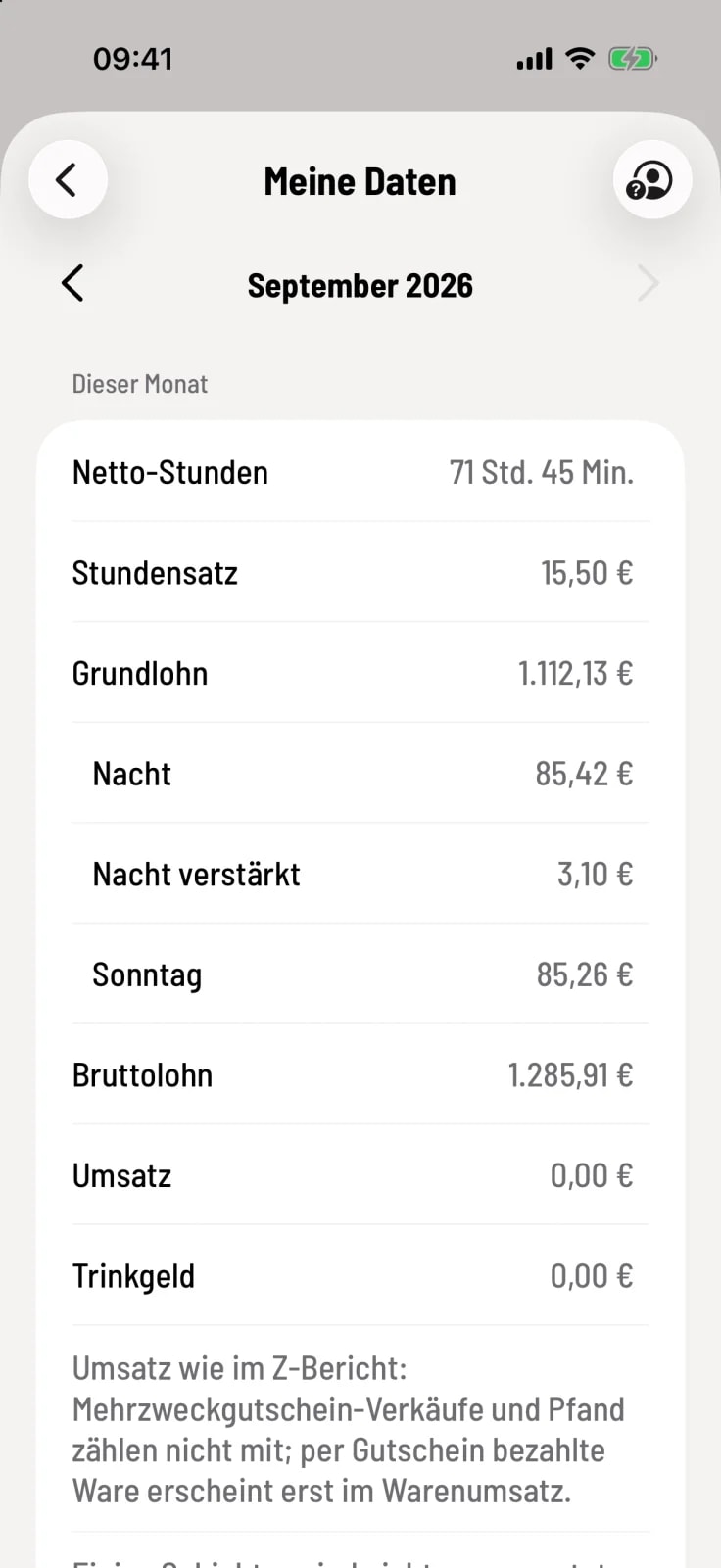
This month
Net hours, hourly rate, basic wage, bonuses, and gross wage including bonuses. This includes your sales – calculated as in the Z-report – and your ** tip**.
Step 2 of 2
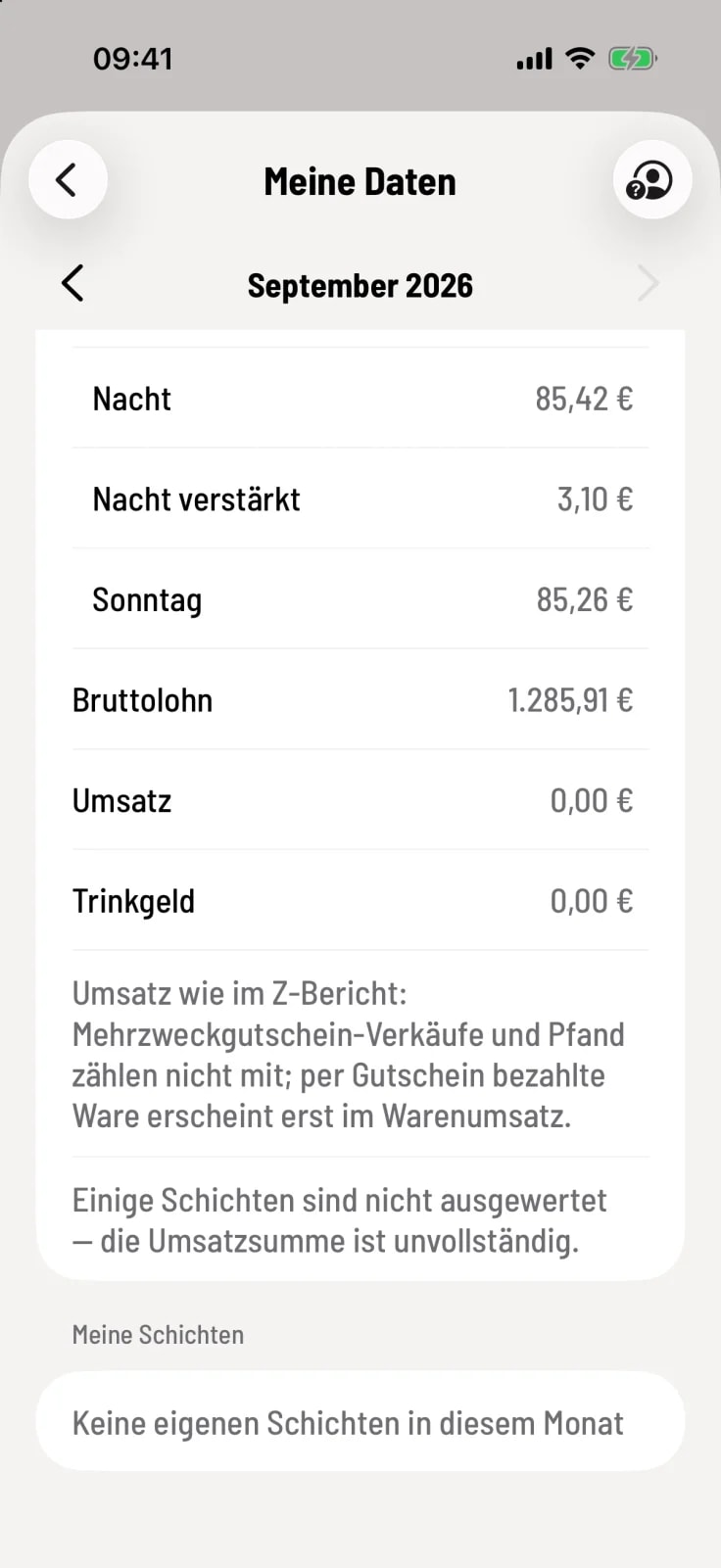
My shifts
The list shows your shifts for the month, including time and revenue. A tap opens My Shift Report with revenue, payment methods, product categories, taxes, cancellations, and discounts. Share it as text using the share icon.
If the company hides monetary amounts, it will only say: This company does not show its employees their own sales and earnings figures.
A colleague's data on the shared device
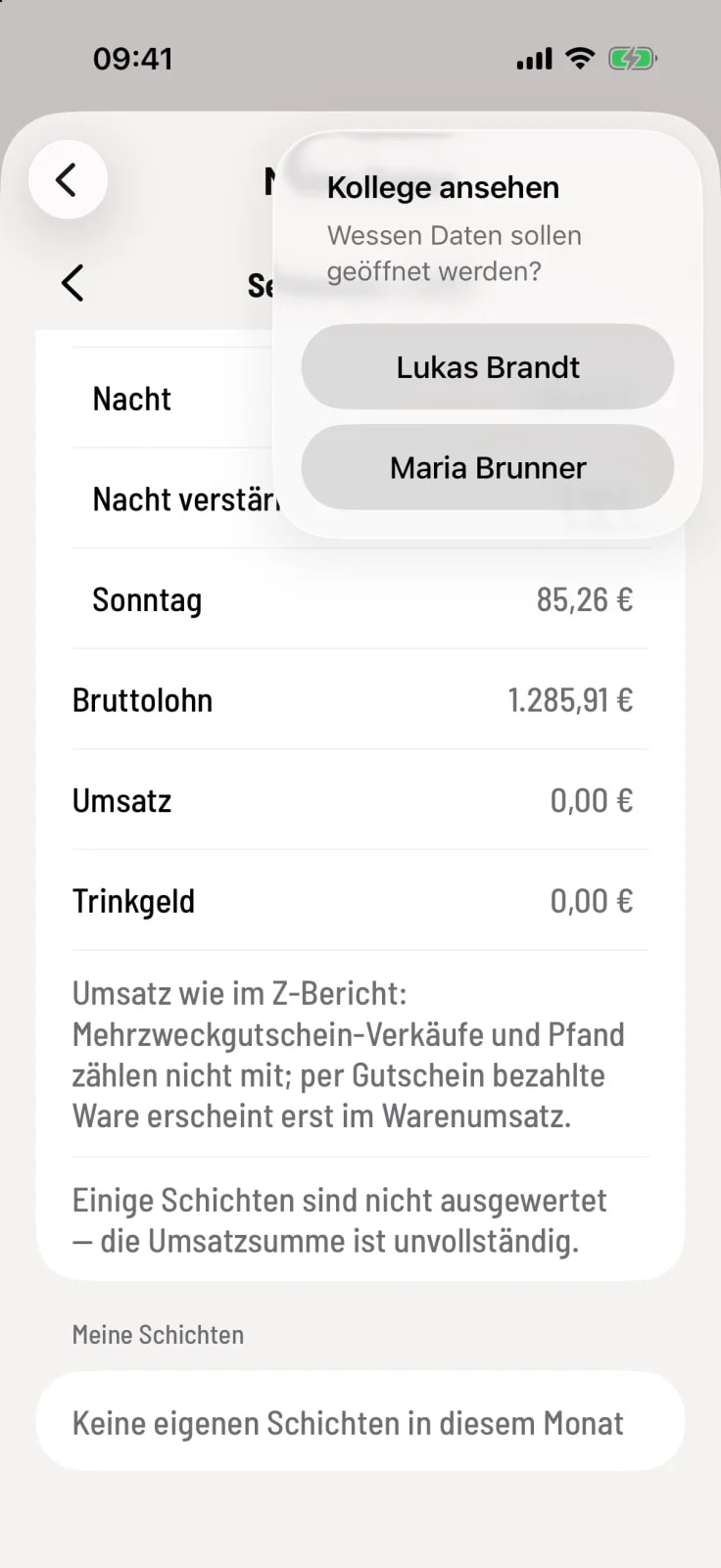
View colleague
Tap the person icon in the top right corner and select the name. After entering their login PIN, your colleague will see their data for a maximum of 10 minutes without you logging out. Exit View closes it sooner.