
Newsletter registration and consent
How guests subscribe to your newsletter, how to invite them, and how to record an objection.
Newsletters and birthday emails are only sent to guests who have confirmed their registration via a link in a confirmation email (double opt-in). This ensures verifiable consent. You cannot register anyone directly, only invite them.
Prerequisite: Guest management is part of the Max plan ( change plan ) and must be activated ( set up guest management ). Only users with the Manage Guests right can make changes; all others can only view the settings. A data processing agreement must be in place for sending emails.
Ways to register
Guest account – The guest registers upon joining or later in their profile (“Subscribe to newsletter”).
Online reservation, online order, voucher shop – a voluntary checkbox “Receive newsletter by email”.
Invitation by you – at the Web desk or at the checkout, if the guest has expressly agreed.
In any case, the guest first receives a confirmation email. Only after clicking on the link are they logged in.
Invite a guest
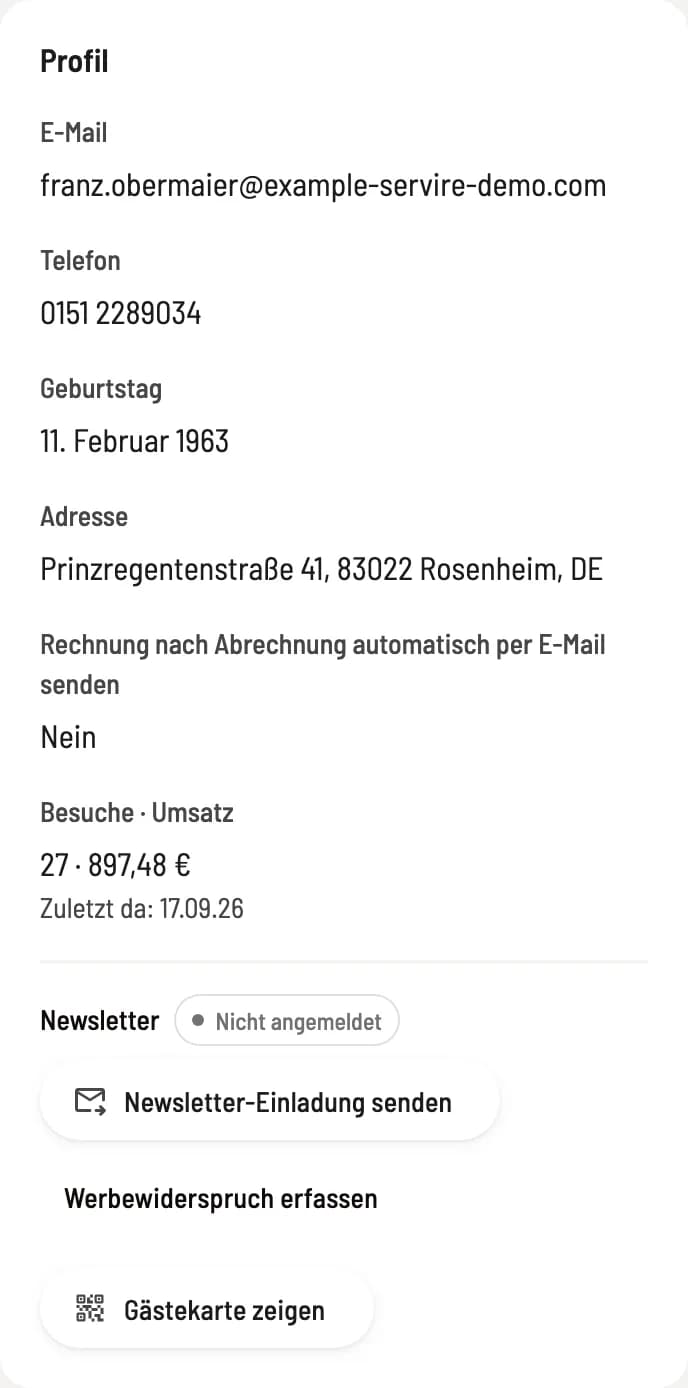
Step 1 of 2
Guest profile status
In the guest profile, under Newsletter, the status shows: Not subscribed, Confirmation pending, Confirmed or Unsubscribed.
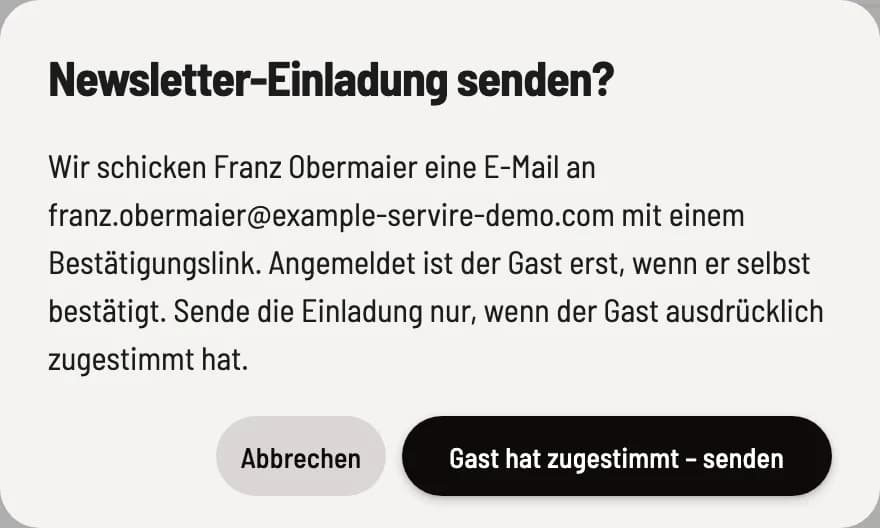
Step 2 of 2
Send invitation
Click on Send newsletter invitation and confirm with Guest has agreed – send. The status will be Confirmation pending until the guest clicks the link.
Inviting guests is only possible with an email address, and only once every 30 days. If a guest unsubscribes, only they can resubscribe.
Record advertising objection
If a guest indicates they no longer wish to receive advertising, click on Register advertising objection in their profile. They will then no longer receive newsletters or birthday emails, even from other profiles using the same email address. Every email also contains an unsubscribe link.
The number of registered guests is shown in the Newsletter Subscribers tile in the guest list; Filter → Newsletter lists them.