
Setting up punch cards
This is how you create digital stamp cards like "10 coffees, 1 free", choose the stamp rule and reward, and let a card expire.
Stamp cards work like the paper cards at the counter – only digitally in the guest profile. You create them in the Web desk under Guests → Gear icon → Stamp Cards tab. Multiple cards can be added simultaneously.
Guest management is included in the Max plan. The first time you open Guests, a wizard will guide you through the setup; before that, you, as the owner, must conclude the data processing agreement (DPA). Only those with the Manage Guests right can change the settings – everyone else can only view them.
Create a stamp card
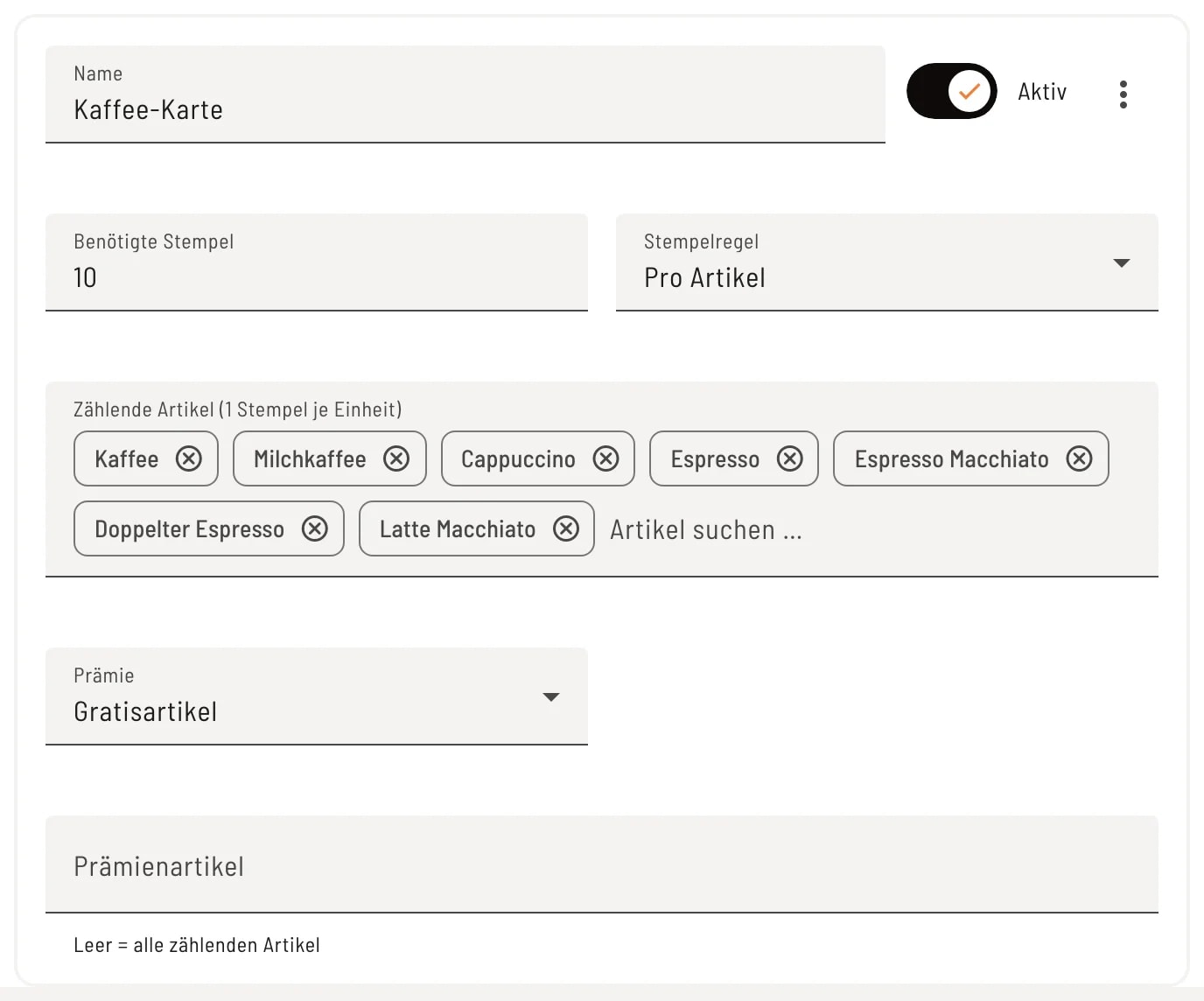
Step 1 of 2
Card “per item”
Activate Use stamp cards and click on Add stamp card. Enter a name, the number of stamps required (1 to 100), and select the stamp rule. Under Per item, select the item that will generate stamps under Counting items – 1 stamp per unit sold.
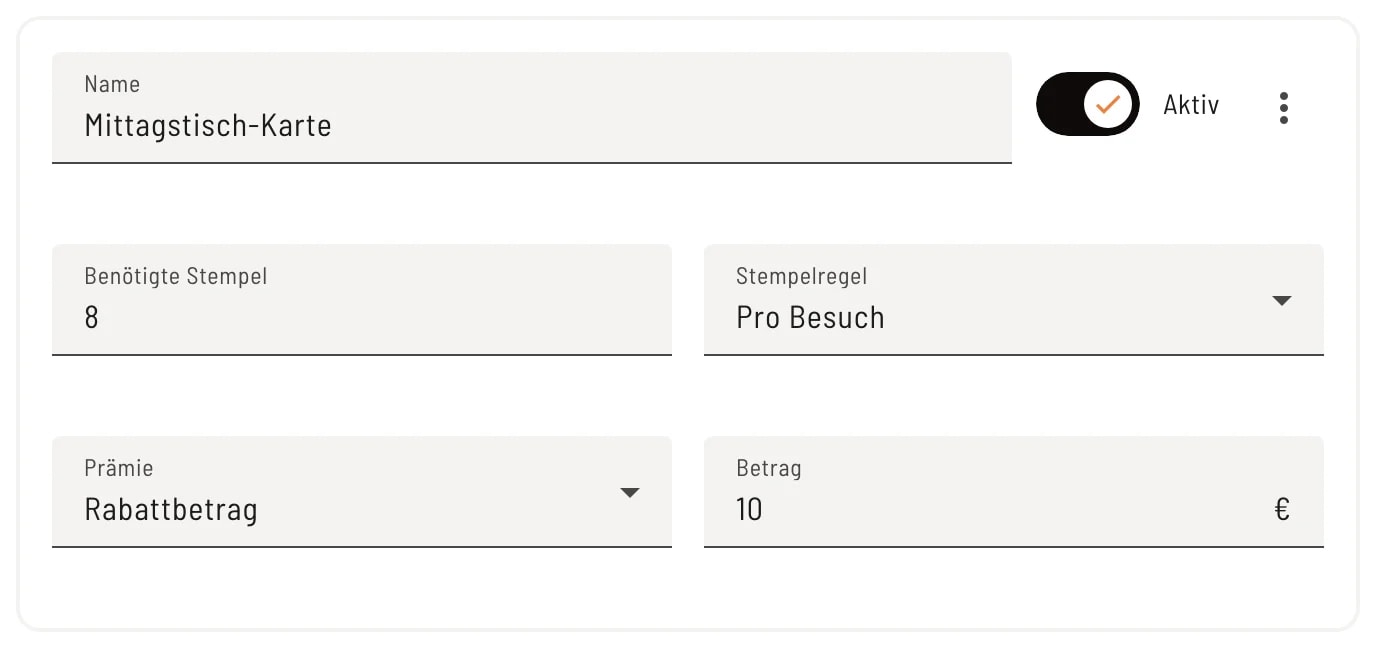
Step 2 of 2
Card “per visit”
With Per Visit, you receive one stamp per visit, regardless of what is ordered. A visit is defined as a reservation, order, or receipt with a merchandise value above €0. After 8 visits, the guest receives a €10 discount.
The fields
- Active – Only collect active cards. When deactivated, any remaining rewards cannot be redeemed.
- Required Stamps – This is how many stamps fill one card. Each completed card earns a reward. Excess stamps are transferred to the next card.
- Stamp rule – Per visit or Per item (per unit; a free item does not count).
- Reward – Free Item: The cheapest eligible item on the invoice will be free. You specify which items qualify under Reward Items; empty = all eligible item. Discount Amount: The amount (up to €1,000) will be deducted from the invoice.
Let the card expire
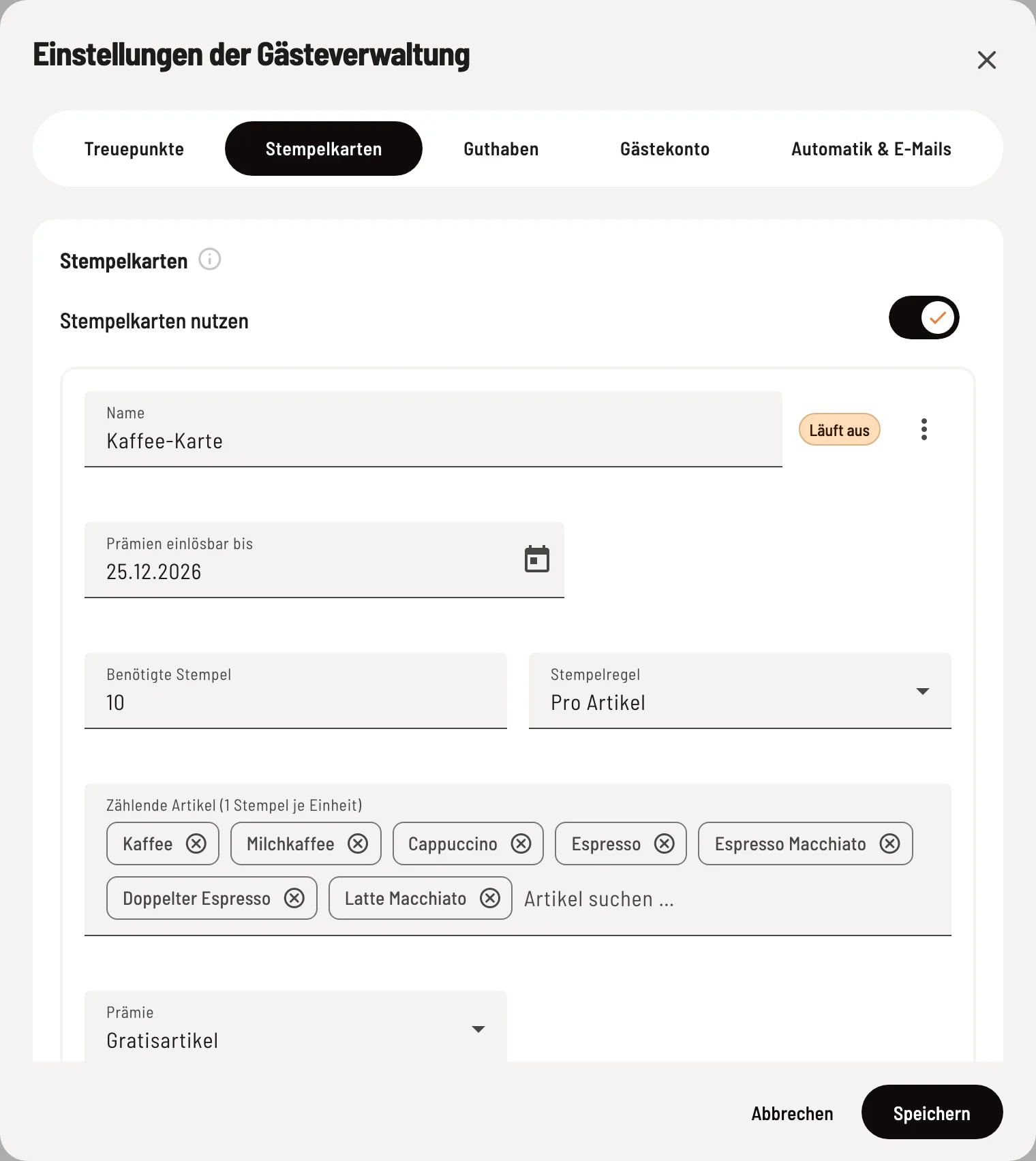
Let it expire
Open the card's menu ⋮ and select Expire. The card will then display Expires and will no longer collect stamps. Under Rewards Valid Until, you can specify the date until which any outstanding rewards are still valid. You can reverse this with Revoke Expiration. Expired cards are listed below under Expired Cards.
If guests are already collecting stamps on a card, the Required Stamps and Stamp Rules will remain fixed, and the card cannot be deleted. If you want different values, let the card expire and create a new one.
If you completely disable using punch cards, no new punches will be issued; collected punches and rewards will be retained. If you only want a card to expire, it's best to let it expire.