
Create stock items
This is how you create stock items from sales items or from scratch, and maintain the unit, minimum stock level and suppliers.
A stock item is what you buy and count: the bottle of light beer, the kilo of ground beef, the bag of espresso beans. You can find them all in the Web desk under Stock → Stock Items.
Prerequisite: The warehouse belongs to the Max tariff; newly registered accounts test it for 14 days. The owner and employees with the Manage Warehouse right (Web desk under Employees, section ** Web desk & Master Data**) are authorized to create, book, and order items.
Create from sales items
For drinks and anything you sell the way you buy it, it's fastest.
Step 1 of 2
Open menu
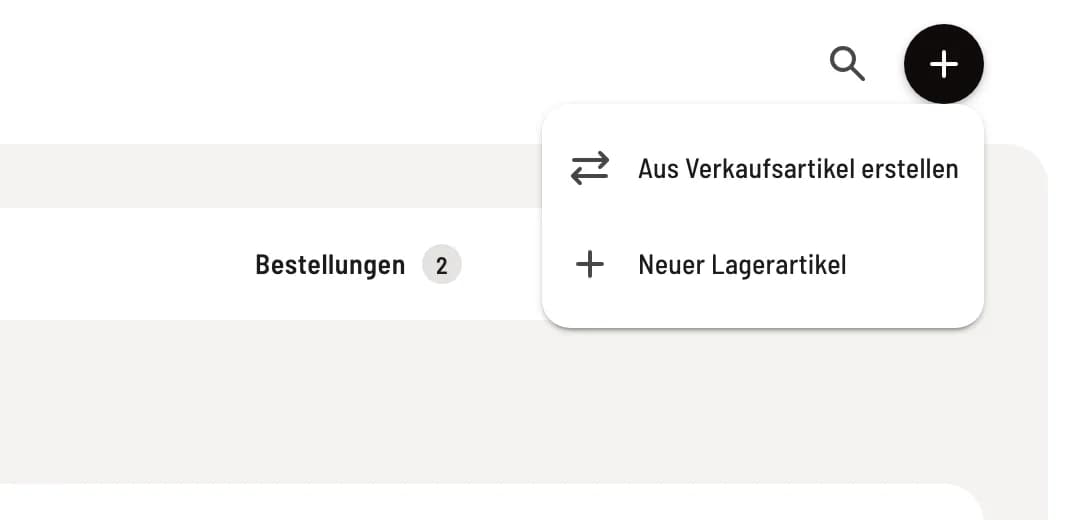
Click on + in the top right corner and select Create from sales item.
Step 2 of 2
Select item
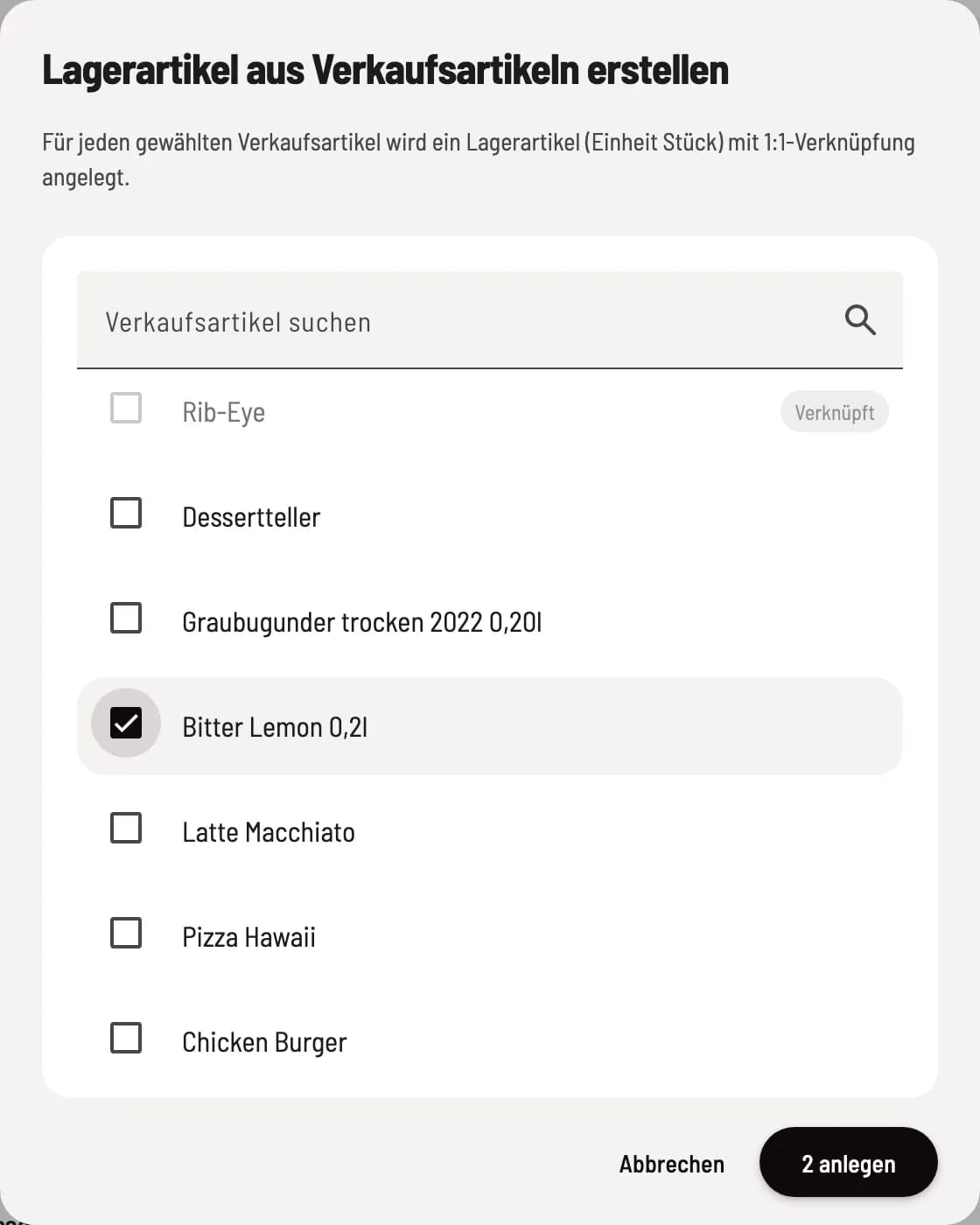
Search for and select the items you want to sell. item marked Linked already have a stock item. Click on … create. Each item will be assigned the unit Piece and a 1:1 link.
Create new stock item
Step 1 of 3
Enter master data
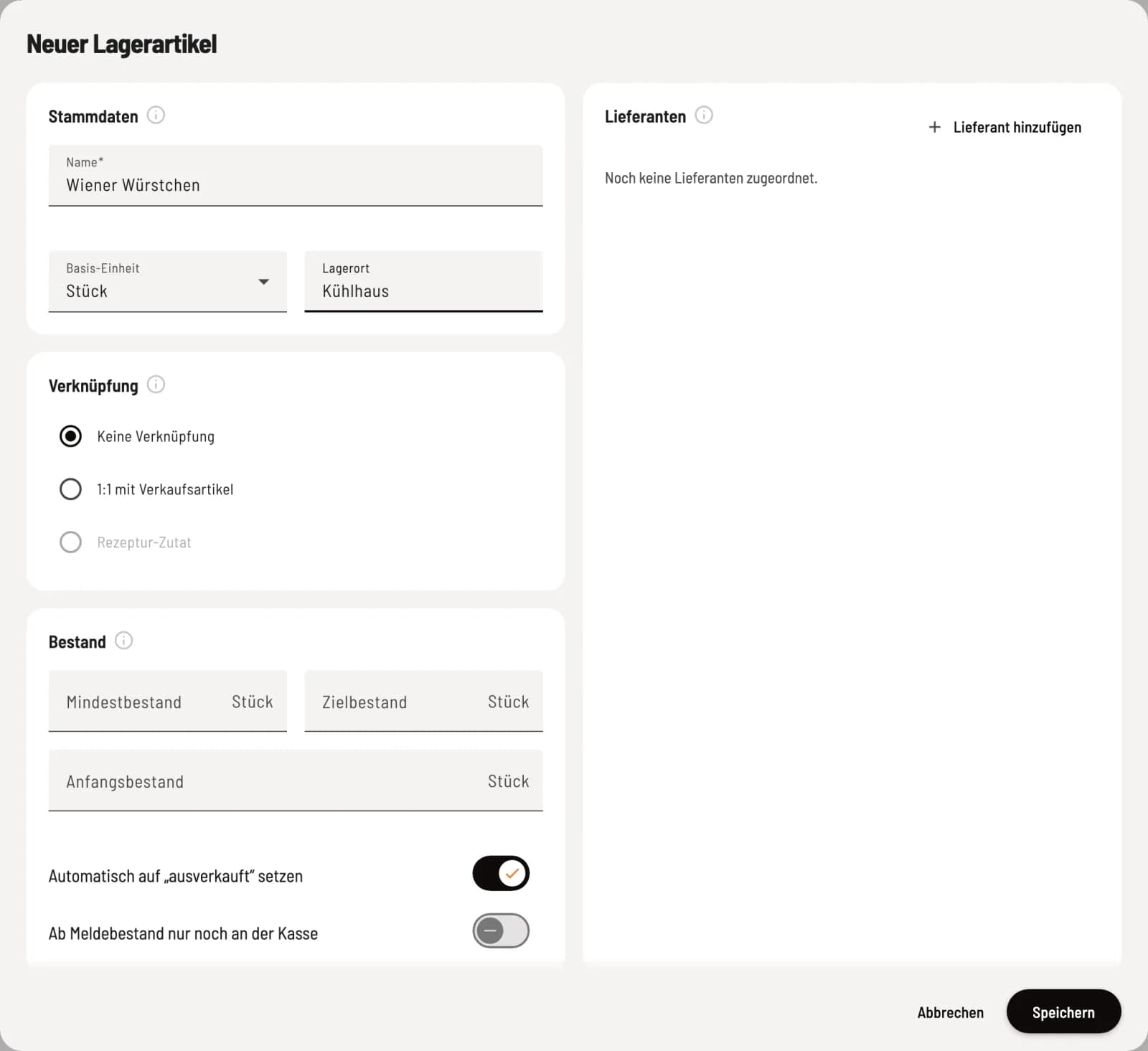
Click on + → New Stock Item. Enter Name, Base Unit (piece, bottle, kg, g, l or ml) and the Storage Location, for example, cold storage. The base unit is used to track stock levels, minimum stock levels, and recipe quantities; it remains fixed after saving.
Step 2 of 3
Determine inventory
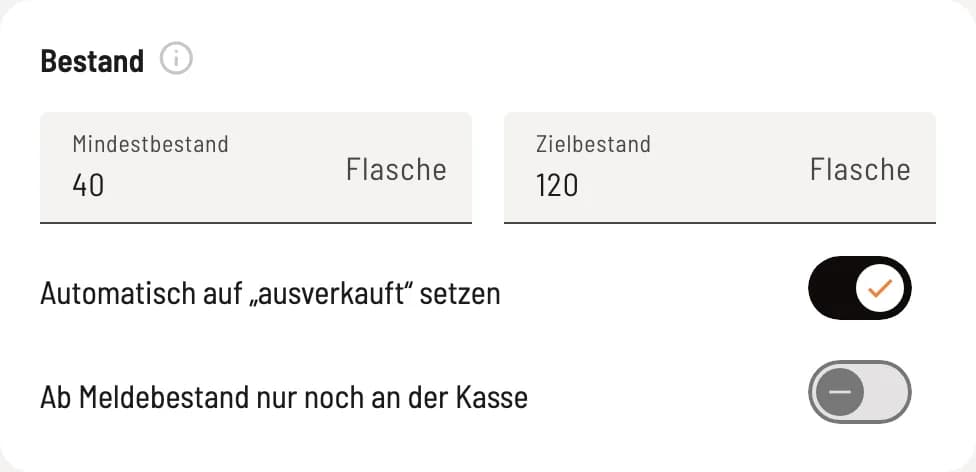
Under Inventory, you enter the Minimum Stock, Target Stock, and, when creating a new item, the Opening Stock. The two switches control whether linked item are automatically sold out.
Step 3 of 3
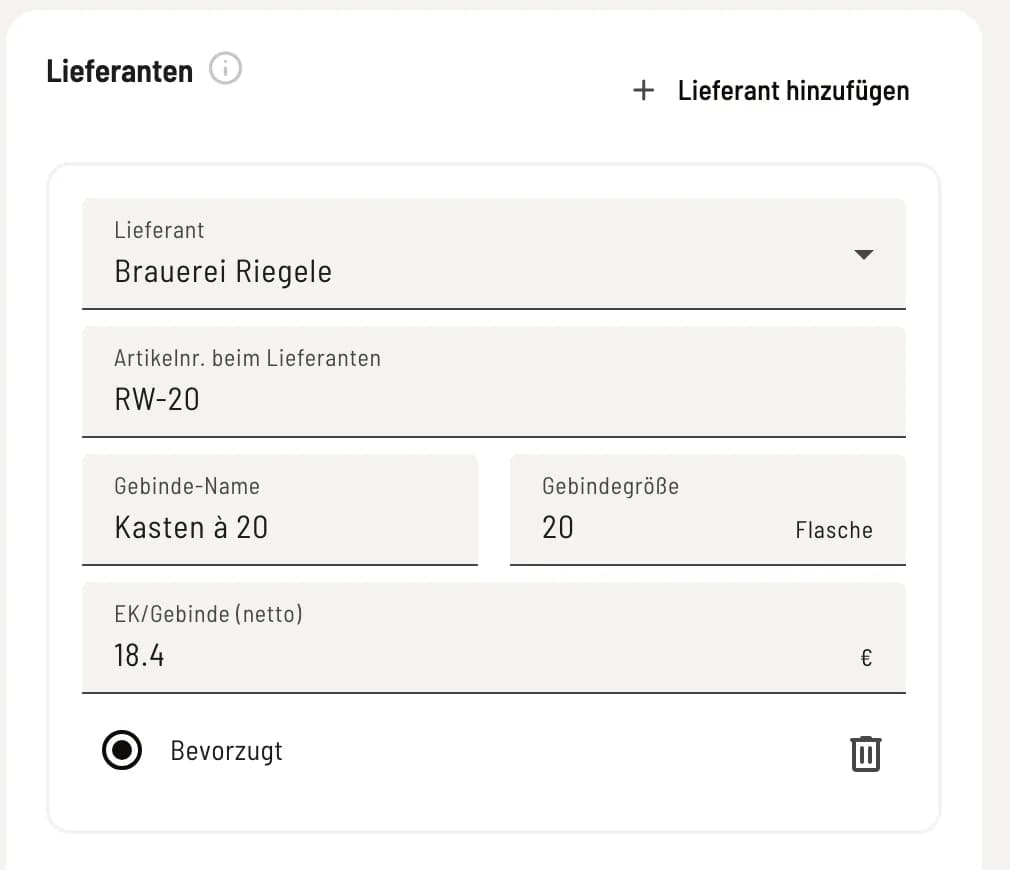
Assign suppliers
Under Suppliers, click Add Supplier. Enter the Supplier's Item Number, Package Name (e.g., Box of 24), Package Size, and Contract Price (Net). If you have multiple suppliers, mark one as Preferred. Click Save.
The fields in the Inventory section:
Minimum stock level: Once this level is reached, the item is considered scarce and is included in the order suggestion.
Target Stock Level: The order proposal will replenish up to this quantity. Empty means: up to the minimum stock level.
Automatically set to "sold out": When stock is depleted, all linked item will be sold out, including dishes containing this ingredient.
From the minimum stock level onwards, only available at the checkout: Once the minimum stock level is reached, item disappear from guest orders, order terminals and delivery services; the checkout continues to sell.
You define how a stock item is deducted upon sale under Linking: Link sales items and create recipes.
List, delete and restore
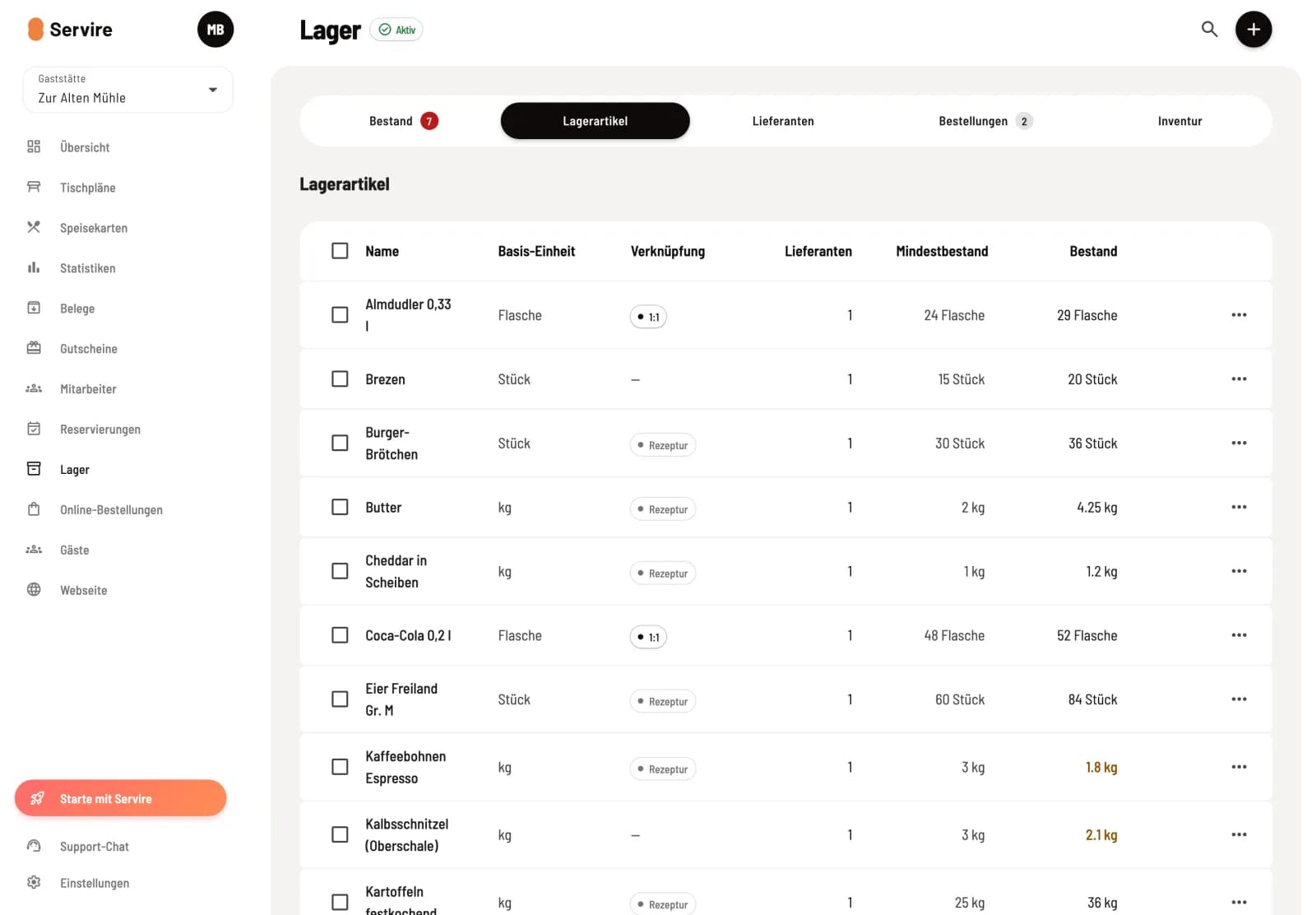
The list shows the base unit, link (1:1 or recipe), number of suppliers, minimum stock, and current stock for each item . Clicking on a row opens the item. You can remove it from the warehouse via … → Delete; the movement history is retained, and the item disappears from its recipes. Deleted item can be found using the Archived filter and restored with Restore, including their links. To delete multiple item , select them and click Delete at the bottom.