
Outlook, goals and “Ask your numbers”
Forecast for the next 7 days, goals, anomalies and questions about your statistics.
Outlook, goals, notable observations, daily notes and "Ask your numbers" are available with Max.
Step 1 of 4
outlook
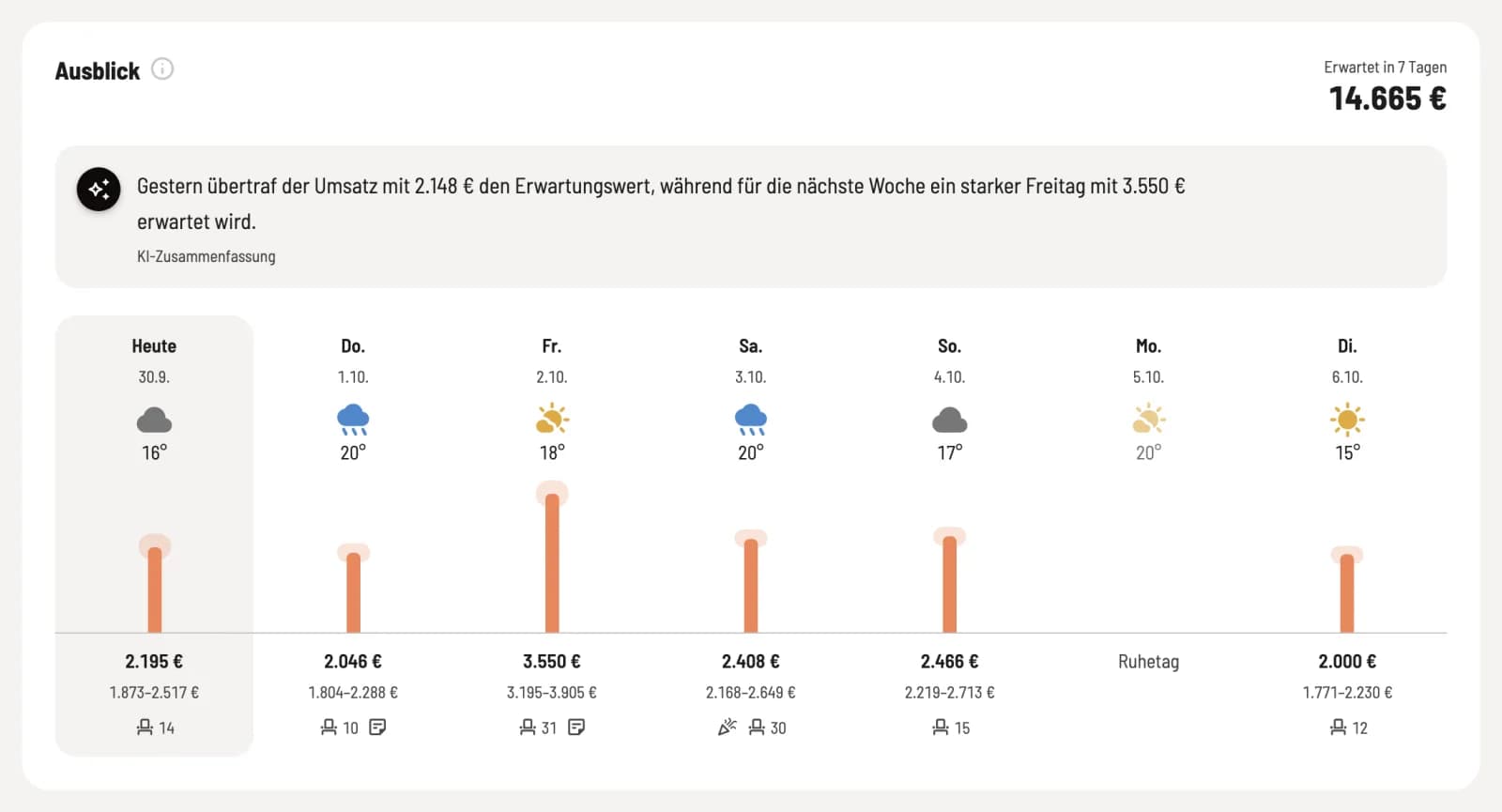
The Overview shows the expected revenue for the next 7 days, including the range. Servire calculates this based on the same days of the week from the last 8 weeks, the trend, holidays, the weather, and your reservations. The sentence above is written by an AI that only receives key figures, not names or receipts.
Step 2 of 4
Goals
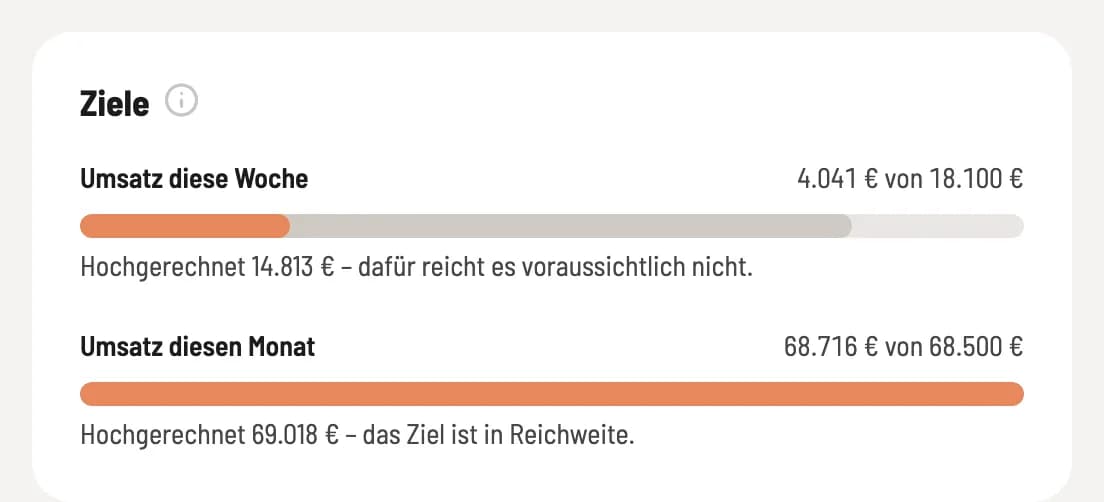
Strong: achieved so far. Light: projection until the end of the week or month. You set goals via the gear icon → Goals & Forecast.
Step 3 of 4
abnormalities
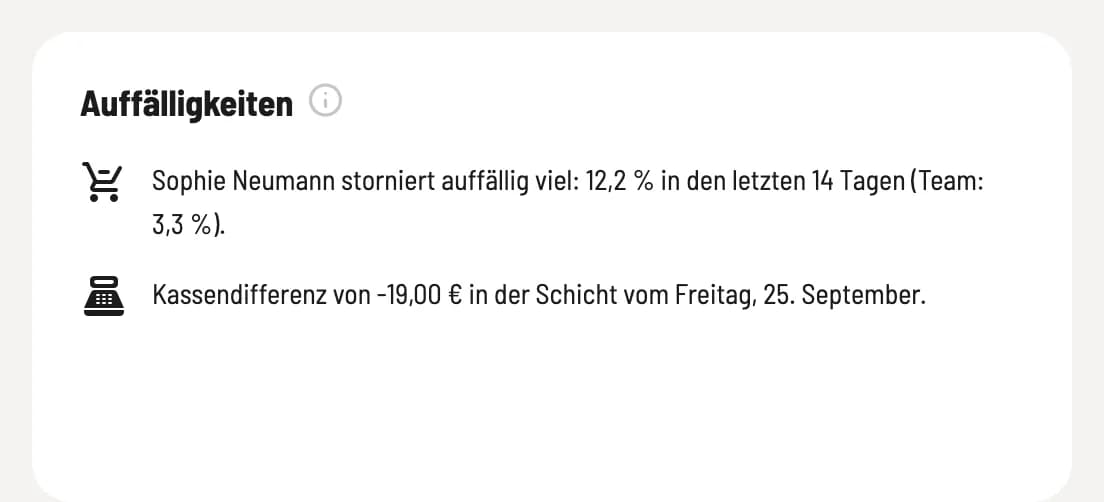
Servire checks daily: unusual days, conspicuous cancellation or discount rates of individual persons, cash discrepancies, missing guest numbers and declining tip.
Step 4 of 4
Ask your numbers
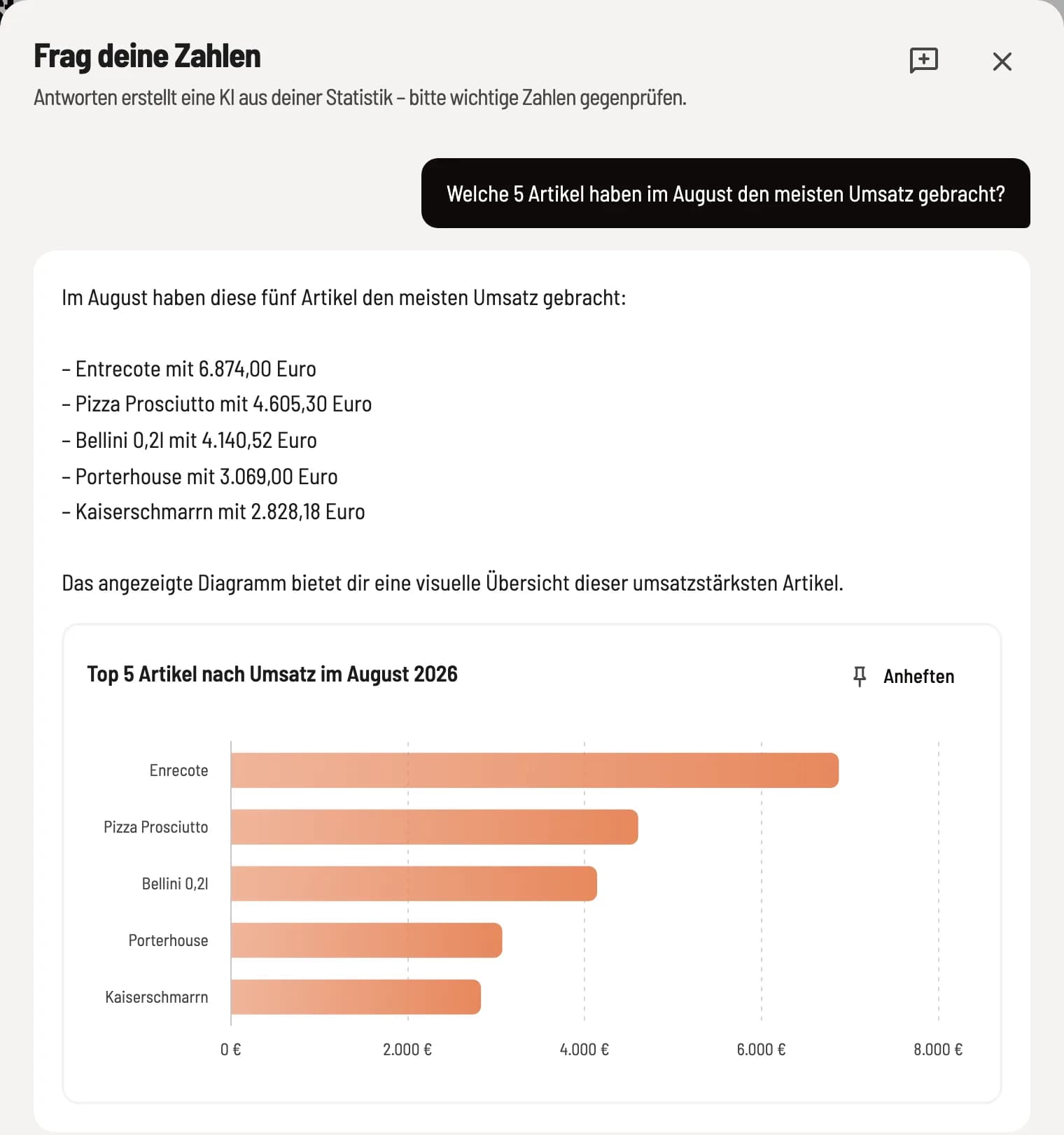
The black button with the twinkling stars in the upper right corner opens Ask Your Numbers. Ask in your own words, for example, "Which 5 item generated the most revenue in August?" The answer often comes with a chart that you can attach to the overview using Pin. Please double-check important figures.
Daily notes
With the Note feature above the sales graph, you can record what was special about a day, such as a city festival. The note appears in the graph and is incorporated into the forecast and AI summary.
If layers are still missing during the process, Servire does not generate an AI summary, target assessment, or detect any anomalies. The outlook includes a warning to this effect.