
Character set: Umlauts and Euro symbol
Which character set to choose if a network printer prints ä, ö, ü or the € symbol incorrectly.
The character set is only available for the network printer (ESC/POS) type. With Epson printers, the cash register sets it automatically.
Not every receipt printer understands umlauts and the Euro symbol the same way. If strange characters appear on the receipt instead of "Käse" (cheese) or the € symbol is missing, you need to change the character set.
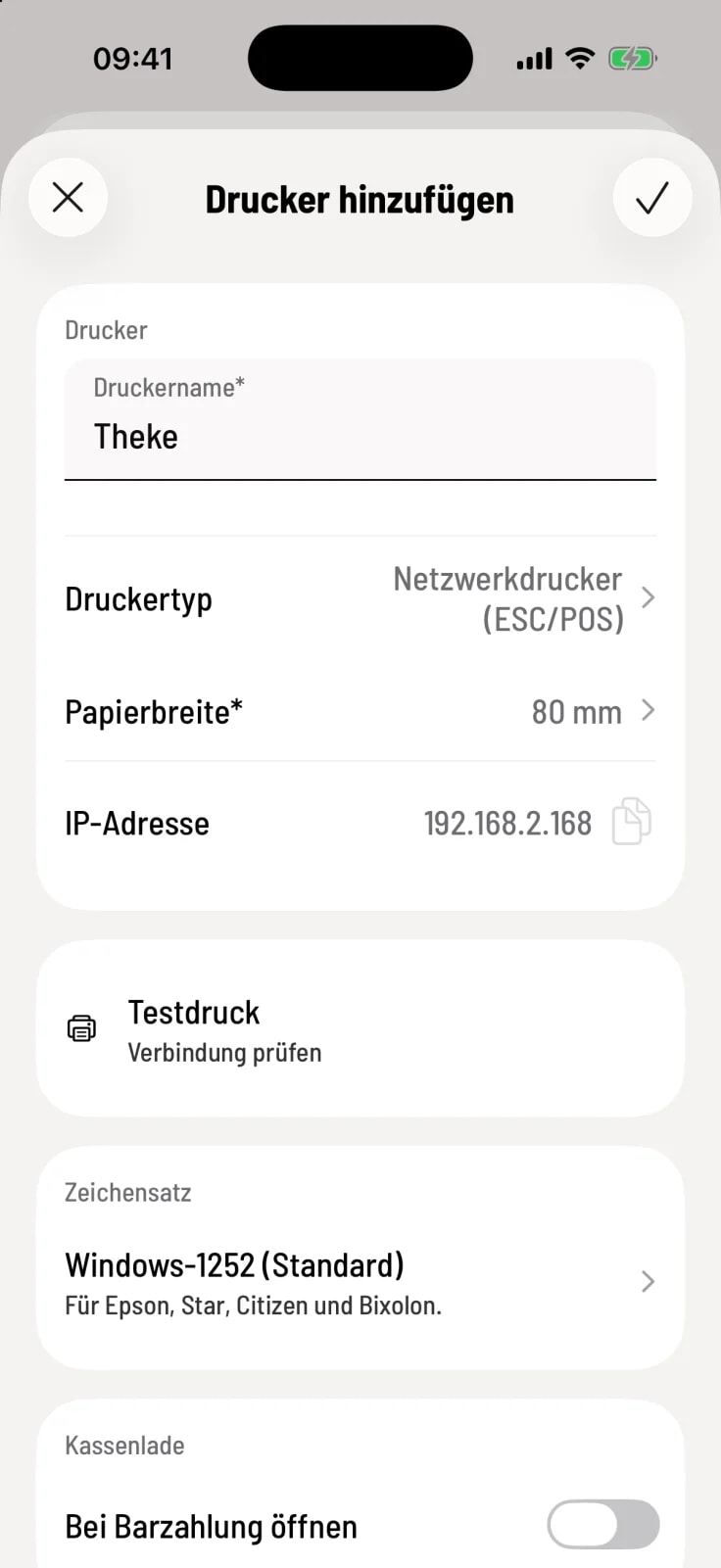
Step 1 of 2
Open character set
Open the printer settings under Settings › Printers and tap the line under Character Set.
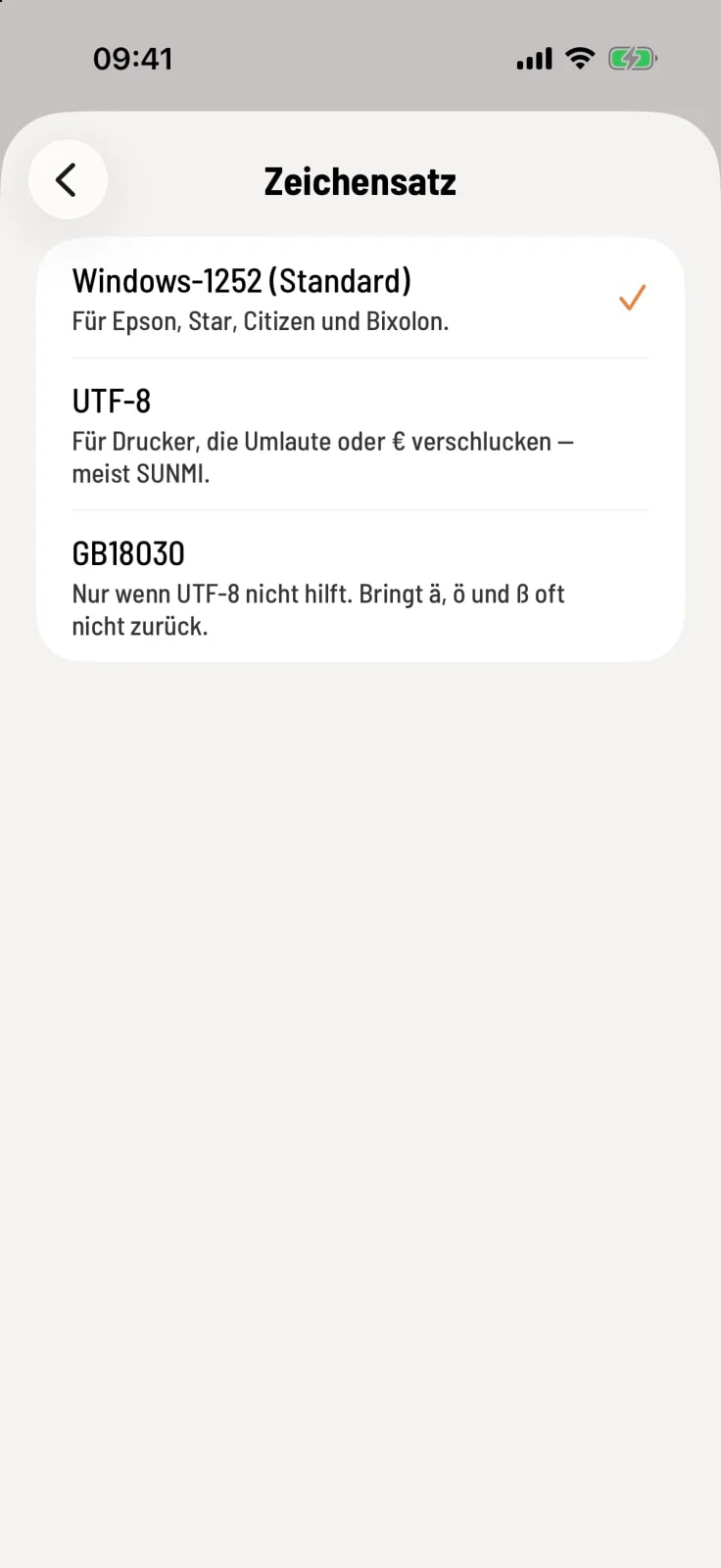
Step 2 of 2
Select character set
Select an entry and save it using the checkmark in the upper right corner.
Windows-1252 (Standard) – compatible with Epson, Star, Citizen and Bixolon.
UTF-8 – for printers that swallow umlauts or € characters, usually Sunmi.
GB18030 – only if UTF-8 doesn't work. Characters like ä, ö, and ß often don't return with this format.
Perform a test print after each change. It prints "ÄÖÜäöüß €". If the characters are displayed cleanly, the character set is correct.