
The cash register does not display a menu.
What to do if the cash register does not display a menu or any item .
The message No menu available appears when you try to place a to-go order and the restaurant doesn't have a visible menu . At the table, the same thing is displayed as an empty grid with No item on this menu. The POS system only orders from menus that are stored in the Web desk .
Check in this order
The right restaurant? If you work for several restaurants, you may have chosen the wrong one: Change restaurants.
Is the menu active? You can see this in the Web desk under Menu. A deactivated menu is not counted.
Does the map have active categories with active articles? Empty or deactivated categories remain invisible.
Does the card have a timer? Time-controlled cards only appear within their specified time window when ordering. Shortly before the end, the card displays the remaining time, for example, 10 minutes left.
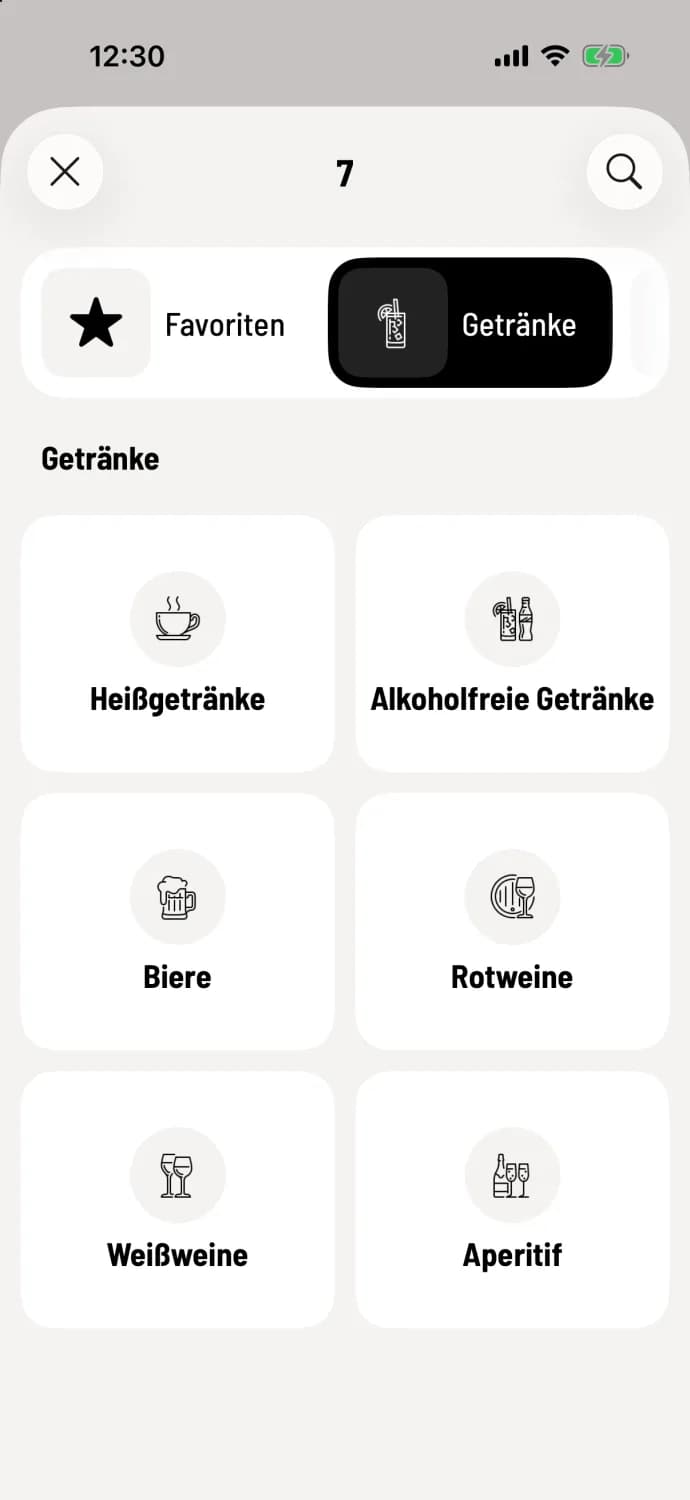
Once the menu is correct in the Web desk , it will appear at the checkout. This is what the menu will look like at the table when everything is set up:
If every table is missing from the table plan and it says No areas available, then no area exists yet. You can create one in the Web desk : Create areas and table plan.
The fastest way to get your first menu is by taking a photo: Import menus using AI.