
Connect your own domain
This way, guests can reach your Servire website at your own address, such as restaurant.de.
Without your own domain, your website will run at the Servire address, e.g., guest.server.de/zur-alten-muehle. If you have your own domain, you can also host the website under that address. This is optional.
Prerequisite: The website belongs to the Max plan and first needs a web address. You need access to the DNS settings at your domain provider (e.g., IONOS, Strato, All-inkl).
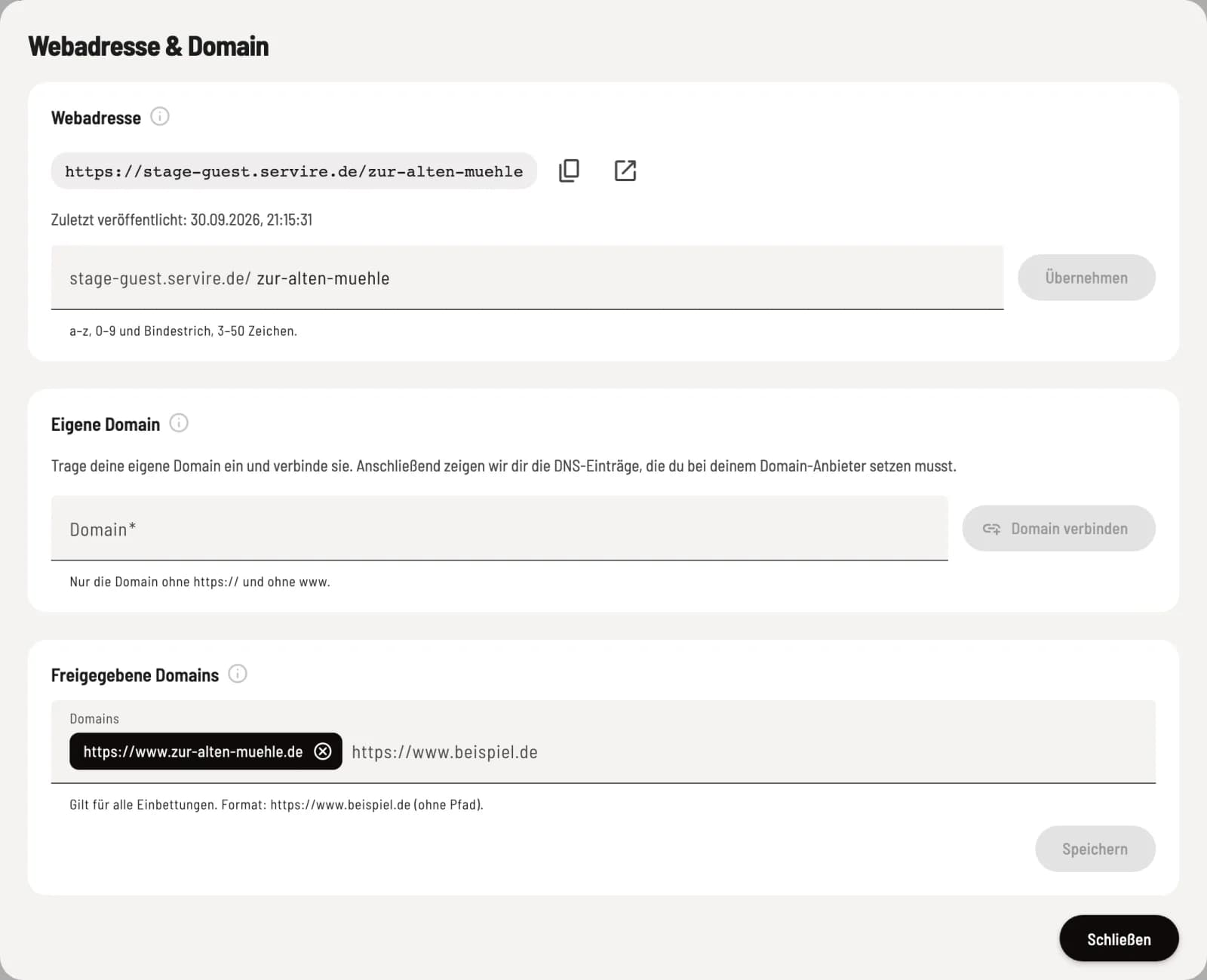
Register domain
In the overview, under Web address & domain, click on Edit. Under Own domain, enter only the domain name, without https:// and without www, e.g., zur-alten-muehle.de, and click on Connect domain.
Setting DNS entries
Servire shows you two entries under DNS Records: an A record for the domain and a CNAME record for www. Copy the Type, Name, and Value from your domain provider; Copy Value will help with this. Until then, it will say Waiting for DNS setup.
Then click Check. Servire also checks automatically every 15 minutes. DNS changes sometimes take a little time. If the entries are correct, the status will change to Active. Once the website is published, visitors can now access it using your domain. Unconfigured domains expire after 14 days.
If it doesn't work
Error indicating a problem with the A record or the www record – the record still points to a different destination. Compare it to the value in Servire.
Notification of a CAA entry – your provider is blocking the security certificate. Allow letsencrypt.org in your settings or remove the CAA entry.
This domain is already associated with another location. – the domain is already linked to another restaurant.
Separate domain
Disconnecting the domain will remove the domain after a confirmation request. The website will then be accessible again at the Servire address. Afterwards, remove the DNS entries with your provider. The domain will remain reserved for your restaurant for 30 days.