
Overview of online orders
This article explains the different ways to place online orders, what you need, and where the orders arrive.
With Servire, guests can order even without table service: at the table via QR code, in advance for pickup, or via delivery. Every order goes directly to the cash register and the kitchen, just like an order you take yourself.
Prerequisite: Guest orders are part of the Max plan. Setting up and modifying them requires the employee right to Manage Guest Orders; the data processing agreement must be concluded beforehand by the owner ( Conclude a Data Processing Agreement ). Delivery services also require the Max plan.
The ordering methods
At the table via QR code – the guest scans the code on the table, orders on their own mobile phone and pays online. The order then appears at that table.
Pickup – the guest orders via your pickup link or your Servire website, selects a pick-up time and pays online or on site.
Own website – the same ordering process, embedded in your existing website.
Order terminal – a screen in the restaurant where guests can order and pay themselves: Setting up an order terminal.
Delivery services – Orders from Uber Eats go directly to the cash register: Connect delivery services to the cash register.
In the Web desk
Open online orders
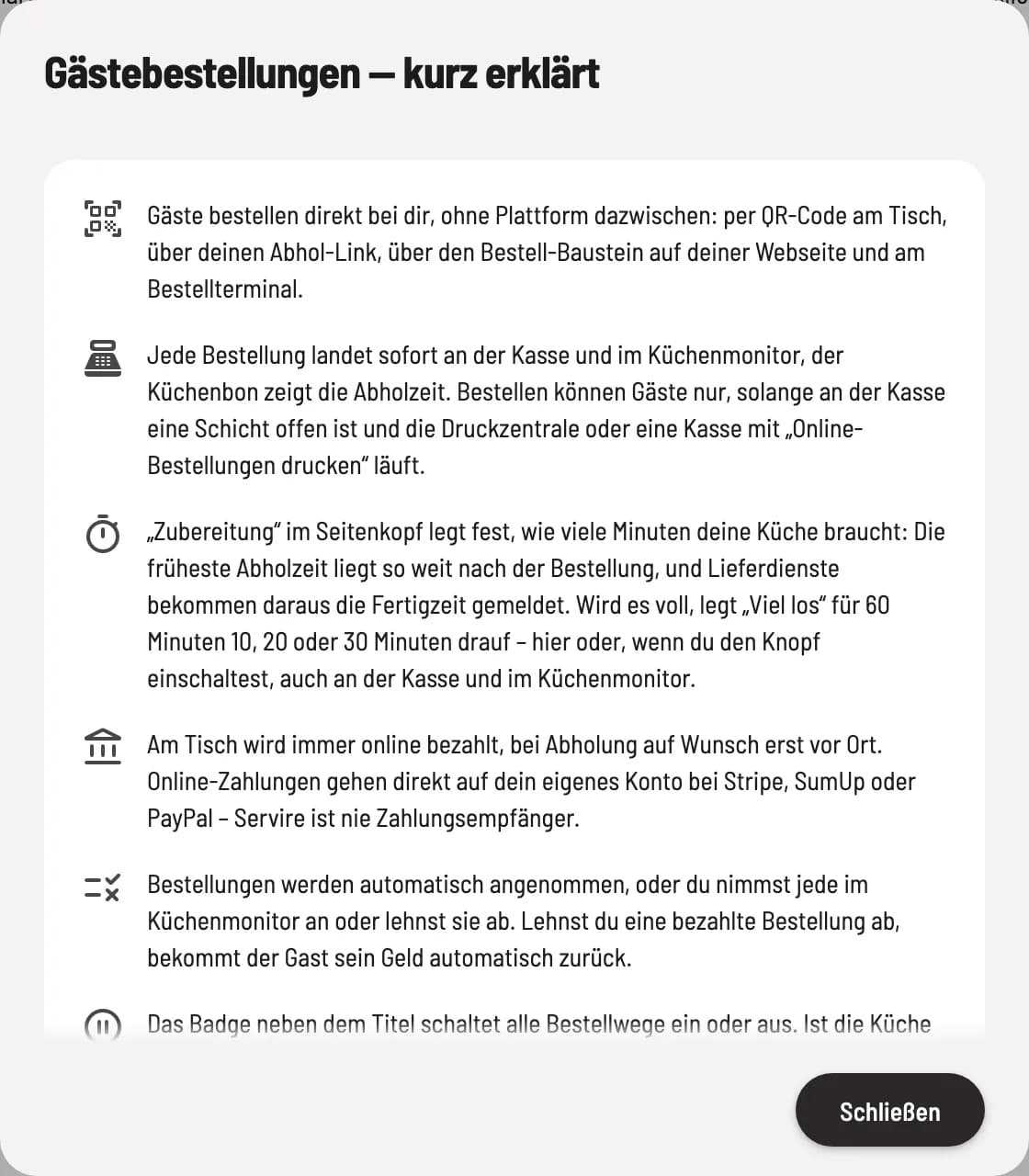
Click on Online Orders on the left. At the top, you can choose between the tabs Guest Orders and Delivery Services. The i symbol next to the title provides a brief explanation of the page.
In the page header, you can turn guest orders on and off with the badge and under Preparation you can set how long your kitchen needs ( set preparation time and "Busy" ).
So that guests can order
One shift is open at the checkout.
A print center is running or a cash register has print online orders enabled ( print online orders at the cash register ). Otherwise, Servire will not accept new orders to prevent any from remaining unprinted.
Your ** Servire website** is published. The pickup link and table QR codes run through its address ( Set up your own website ).
For table reservations and online payment, an online payment provider is connected ( connect payment provider ). Pick-up with on-site payment is also possible without this.
You determine which item guests see online for each item, category or menu via the channels Table, Pickup, Kiosk and Delivery Services: Create, edit and delete item.