
Rights for the duty roster
Who plans, who sees costs and who uses the team area: the rights to manage the duty roster and team area.
The duty roster includes two permissions. You assign them in the Edit Employee dialog; see Editing Employee Data and Permissions. Both appear only in the Max tariff.
Who is allowed to do what?: Only the owner can change rights. They always have both rights themselves.
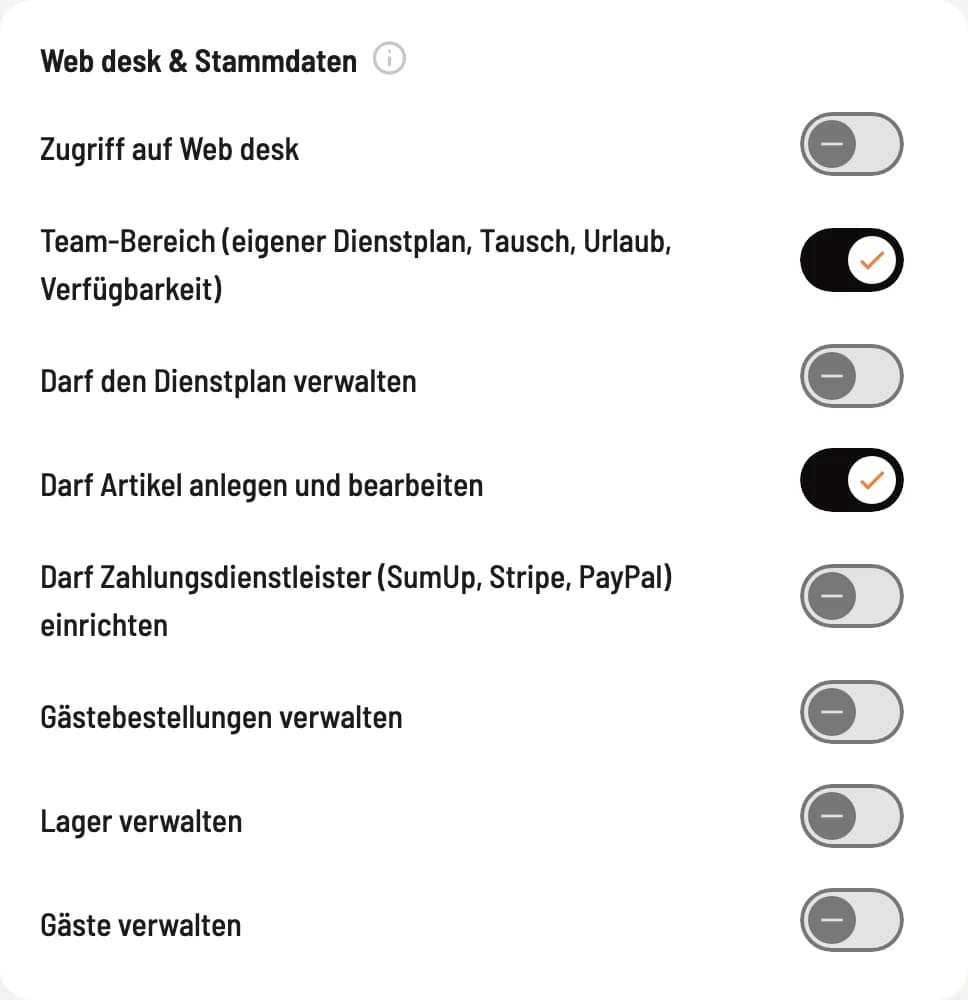
The two switches
Both are located in the section ** Web desk & Master Data** directly under Access to Web desk: Team area (own duty roster, swap, vacation, availability) and May manage the duty roster.
Allowed to manage the duty roster
Those with this permission can create the work schedule, plan and publish shifts, enter absences, and decide on requests. Newly added employees do not have this permission. Without it, the Work Schedule tab is not available, even with access to the Web desk.
Team area
This setting applies to everyone, including newly connected users. If you disable it, the person will no longer see their services in their browser and won't receive notifications about new plans. You can still schedule them, though. You can set this for each person in the setup wizard.
Who sees what
Personnel costs, target/actual figures, and mini-job information, also when approving applications: only accessible with authorized to manage time tracking. The Planned Hours metric is visible to everyone authorized to manage the work schedule.
Sales forecast and personnel cost ratio: additionally, view statistics. This keeps sales figures hidden if you have restricted someone's access to the statistics.
Type of absence, such as illness: only the administration sees this. Colleagues in the team area only see Absent.
Time corrections in the Requests tab: only with Allowed to manage time recording.
Reminders to the administration go to the owner and everyone with authorized to manage the duty roster.
Planning without wage data
Your restaurant manager needs to plan, but shouldn't see wages? Give her Allowed to manage the staff schedule without Allowed to manage time tracking. She'll then plan as usual and see the planned hours, but costs, forecasts, and quotas will be missing.