
Processing requests: vacation, exchange, submission and time corrections
In the "Applications" tab, you decide on vacation, shift swaps, taxes, taking over open shifts, and corrections.
Your team's requests will appear under Employees in the Requests tab. The number on the tab indicates how many are pending. You decide on each request by clicking Review.
Prerequisite: You can view vacation, swaps, transfers, and takeovers with the May manage the duty roster right, and time corrections with May manage time tracking. Both are included in the Max plan.
The sections
Vacation: Applications for vacation, time off in lieu, and other matters, including the period and number of days.
Exchange & Transfer: Services that someone wants to exchange or transfer. Requests that a colleague has not yet approved are shown below in a subdued font, with Waiting for colleague and without Checking; the number of requests is shown on the right.
Taking over open services: open services that someone wants to take over; Wants to take over: lists the names.
Open correction requests: Time corrections from the cash register and the team area, see Correcting time entries.
Release vacation
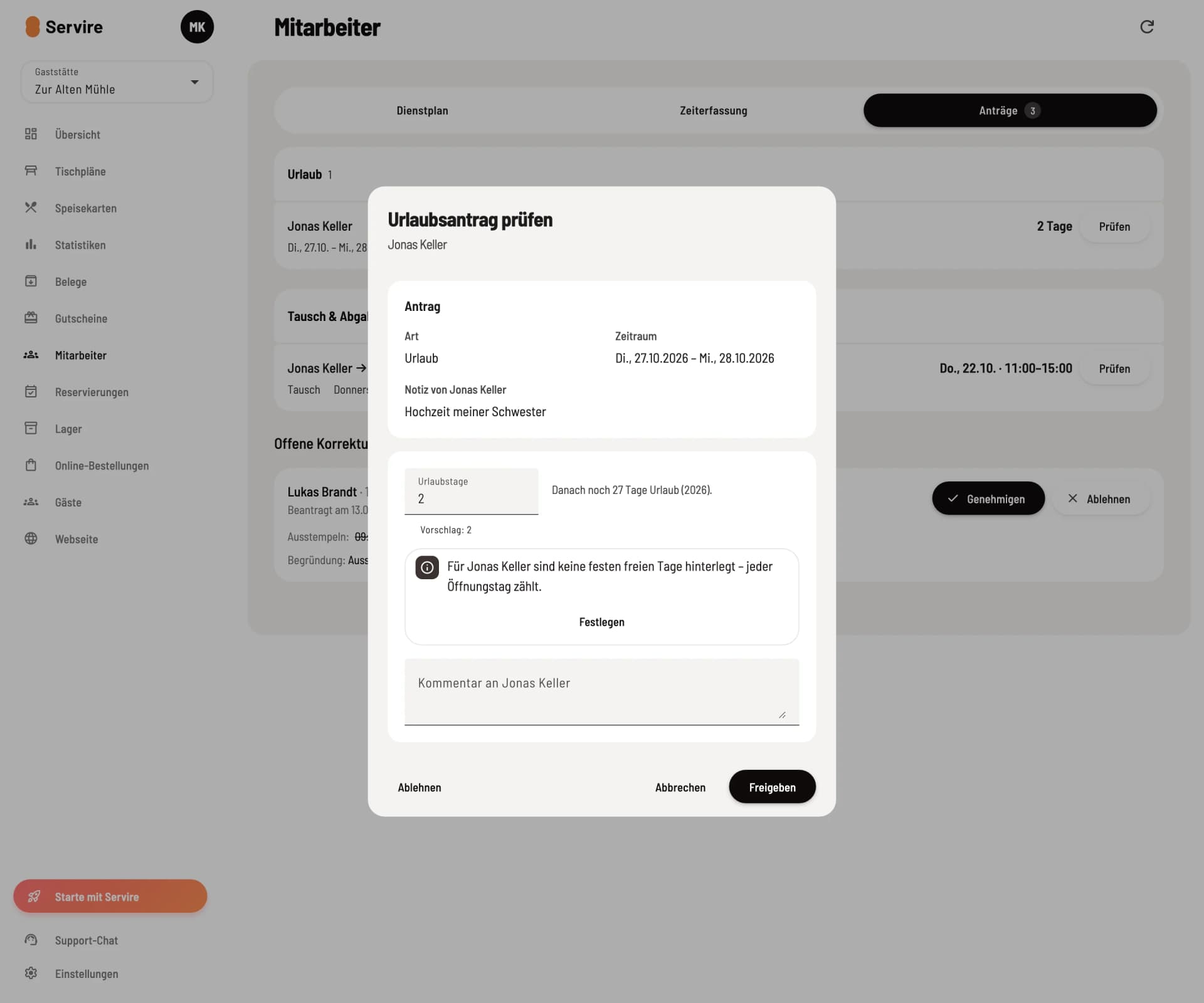
Review vacation request
Check opens the application with the time period, suggested vacation days, and the remaining details. If the entitlement for the year is missing, you can add it immediately using Enter entitlement. Adjust the number if necessary, release existing shifts using Set shifts open in this period, and click Approve. Reject asks for a comment, which will be sent to the person whose request is rejected.
Exchange, surrender and acquisition
Swap: The person offers their services in exchange for the services of a colleague in the same position. First the colleague agrees, then you decide.
Delegation to one person: Your colleague agrees, then you decide.
Assignment to all suitable candidates and open shifts: Suitable candidates request the shift in the team area using Take on. You then select who receives the shift under Takes on.
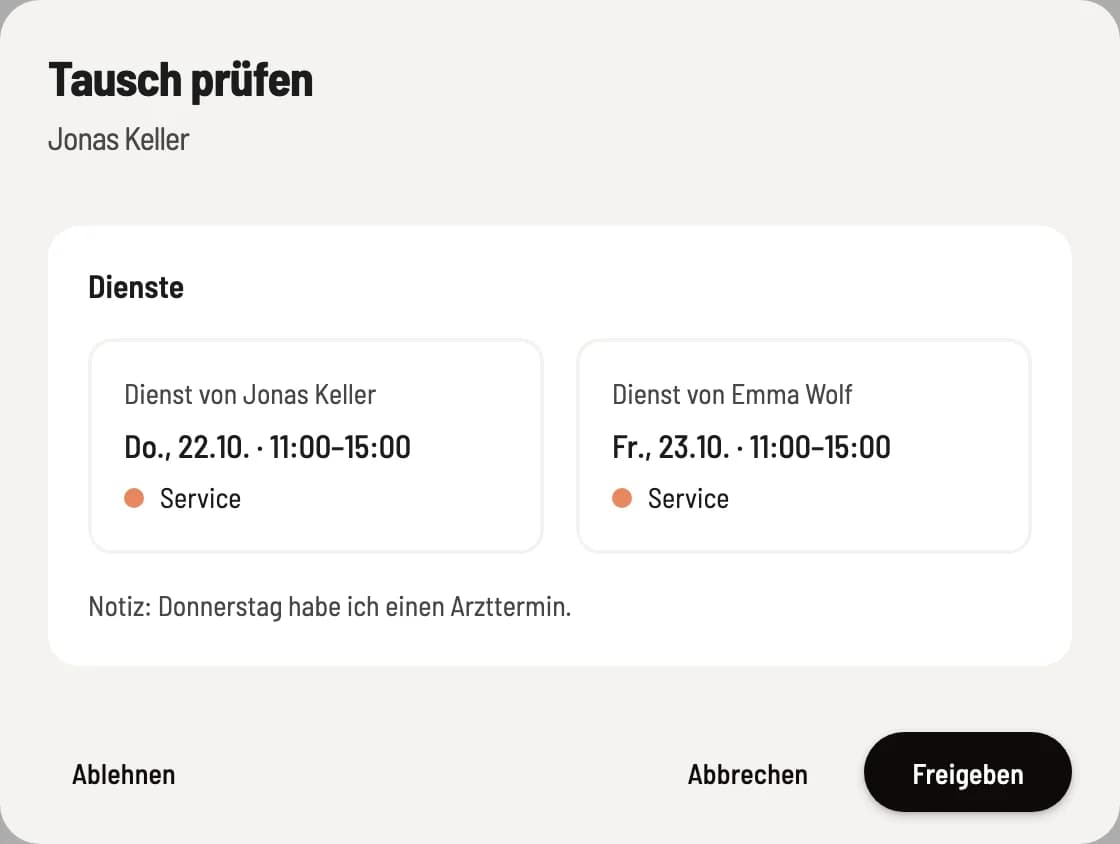
Review application
The window displays the affected shifts with times, for example, Wed., Oct. 21, 5:00 PM – End (10:00 PM), the message, and under Notes on the new assignment, information such as rest period or youth protection guidelines. Shifts performed by the person at other locations are also included, as well as, for all those with Allowed to manage time tracking, the mini-job limit. Approve immediately updates the shift and publishes the change; the affected parties are notified. Decline sends your comment.
Applications refer to the published schedule. If the service changes before then, or if it is in the past, the application expires and is marked as Expired in the person's list.
Employees can withdraw their requests in the team area as long as you haven't made a decision yet.