
Cash register for stamping only: kitchen, reception and time clock tablet
This way you block the cash register for the kitchen and reception and set up a tablet where everyone can clock in and out.
Not everyone on the team works at the till. Kitchen staff, receptionists, and part-time staff should clock in, but not open tables or start a till shift. The template Without Till is used for this purpose.
Prerequisite: Time tracking is enabled ( Activate time tracking ). Only the owner can change permissions.
Limit person to stamps
Step 1 of 2
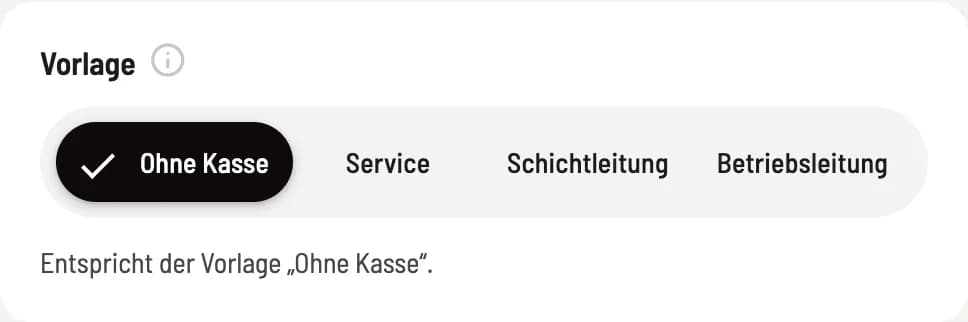
Select the "No Cashier" template
In the Web desk , under Employees, click on the person. In Edit Employee, under Template on the right, click on Without Cash Register and then on Save. Use Cash Register App and all cash register rights will be deactivated, while the Team Area will be activated.
Step 2 of 2
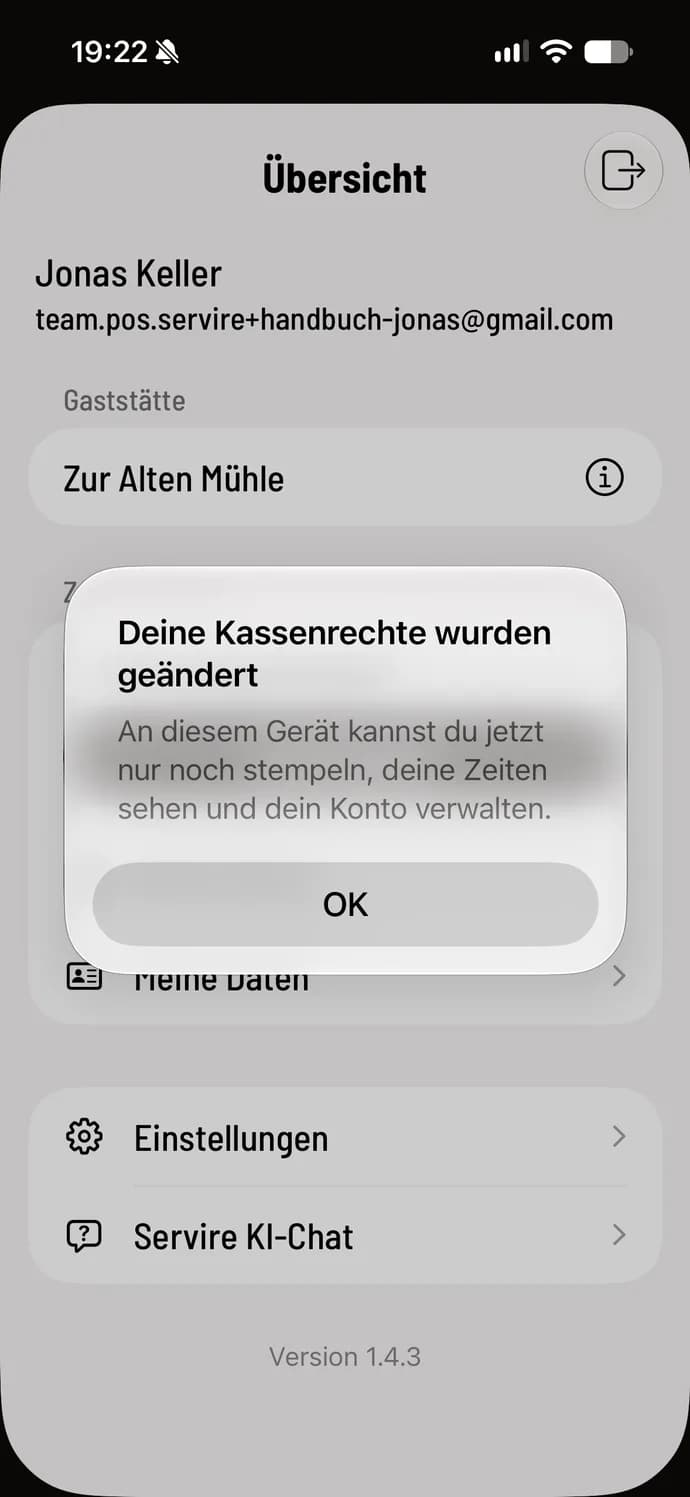
The cash register will change immediately.
If the person's app is currently open, the message "Your payment permissions have been changed" will appear. If a payment is in progress, the app will wait until it is complete. After clicking OK, it will only display a limited overview.
What the person sees in the app
Step 1 of 2
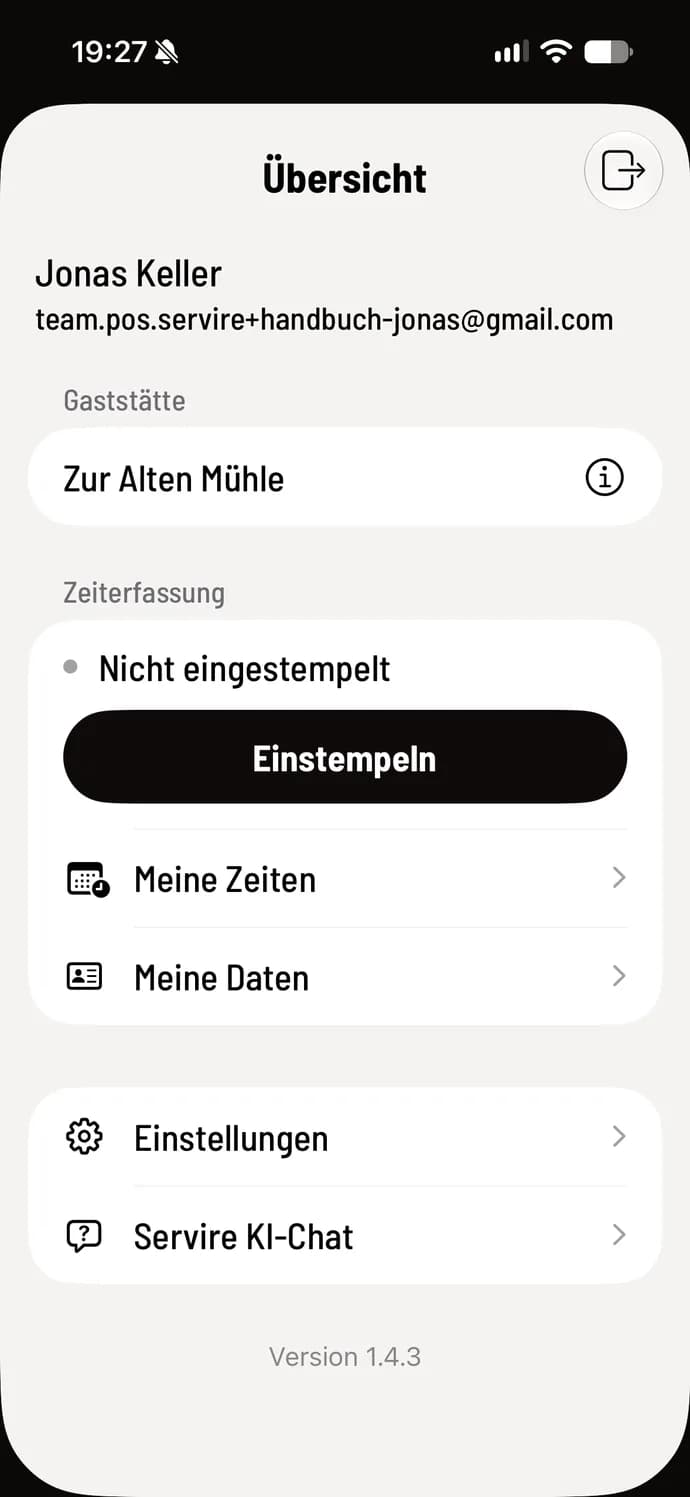
Overview
The app only displays Clock In, My Times, My Data, the ** Servire AI Chat**, and your own account: login details and PIN, personal data, language, and Log Out. With the shift schedule, it also shows Your shift Today.
Step 2 of 2
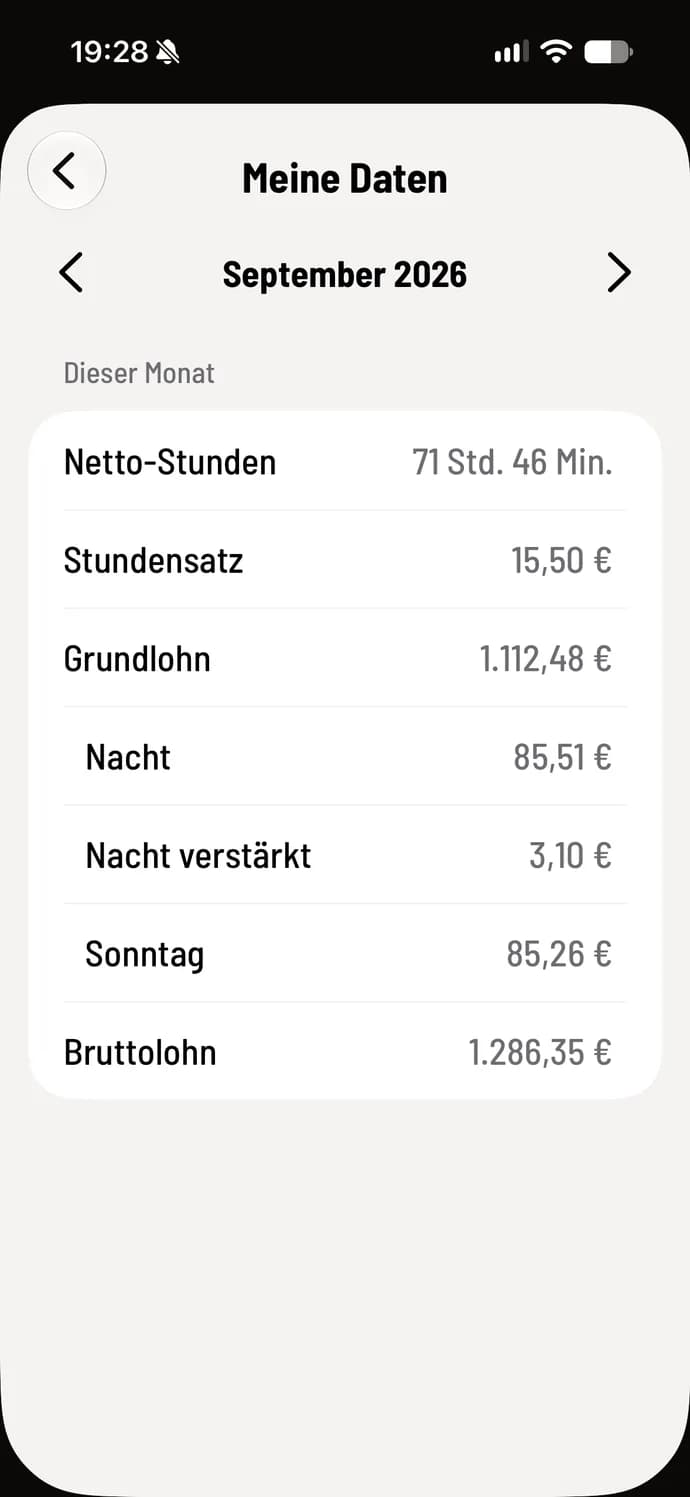
My data
My data only shows hours and wages, no sales, no tip and no cashier shifts.
There are no tables, menu, cash register shifts, or cash register settings. Employees can find their own shift schedule, swaps, and vacation information in the Team Area within their browser.
A tablet as a time clock in the kitchen
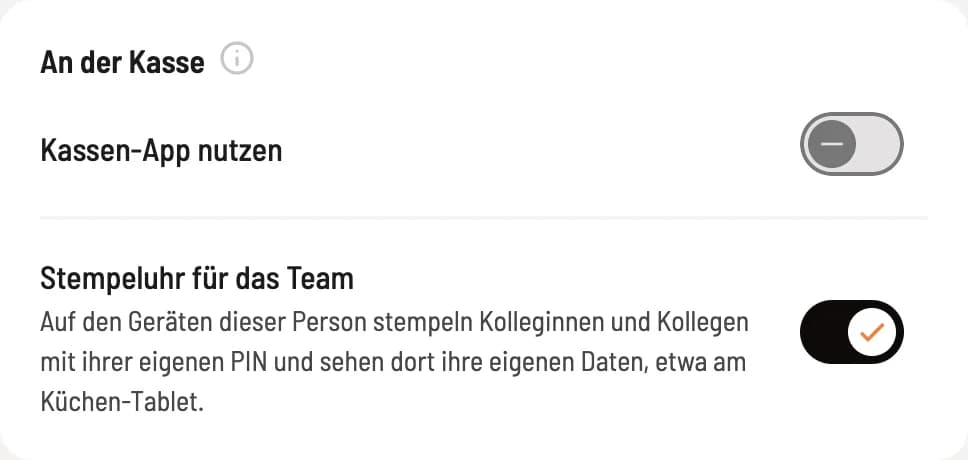
Step 1 of 2
Set up an account for the tablet
Create a separate Servire account for the tablet, for example, "Kitchen Tablet," and connect it to your restaurant using the company PIN ( Connect employees to the restaurant ). In Web desk , select the Without POS template, activate Time clock for team, and deactivate Time tracking applies to this person, as the tablet does not operate independently. Then Save.
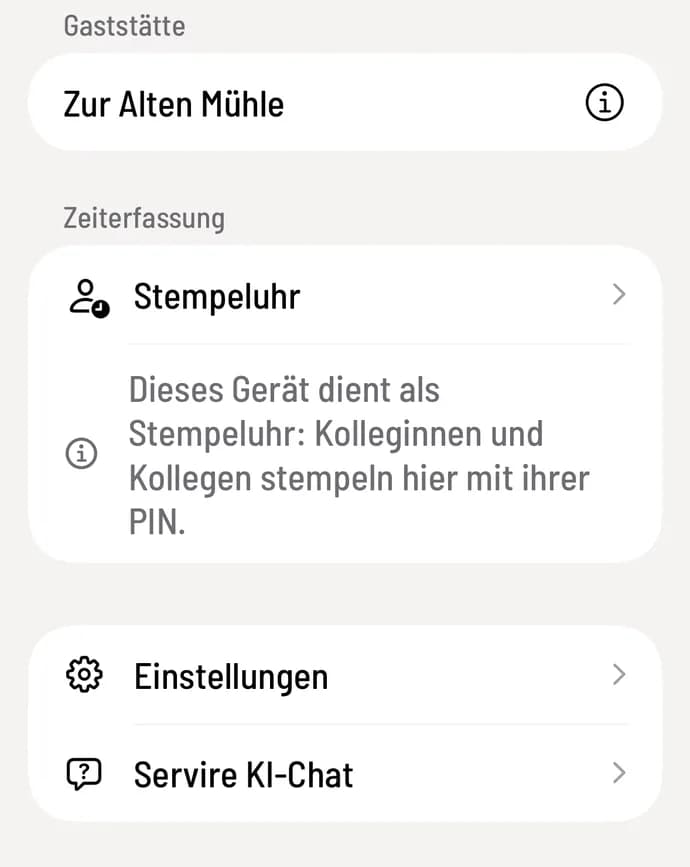
Step 2 of 2
Register tablet
Register the tablet with this account. The overview will show Time Clock and below it, "This device serves as a time clock: Colleagues clock in here with their PIN."
Each person needs their own personal login PIN. Instructions on how to clock in and out on the tablet can be found in "Clocking in for colleagues".
Clocking in and out and cashier shift are two different things. The cashier shift is the day spent at the till, including the cash reconciliation and Z-report; it is handled by the shift supervisor. Clocking in only records working time, with or without a cashier shift.
The limited view is available with the current Servire app. In older versions, users without the POS app can still see the entire cash register, but cannot place orders, process payments, or start a shift. Update the Servire app on all devices.