
Reporting sick and incapacity to work
How employees report sick in the Team area, what management confirms, and what applies to illness during vacation.
Employees report themselves sick in the Team area on their mobile phone or computer. The report applies immediately, and management finds out right away.
Prerequisite: Your business uses the roster or time tracking in the Max tariff. You need the Team area permission; it is on until the owner turns it off. In the POS app, Report sick will be added under My data with the next update.
Report sick
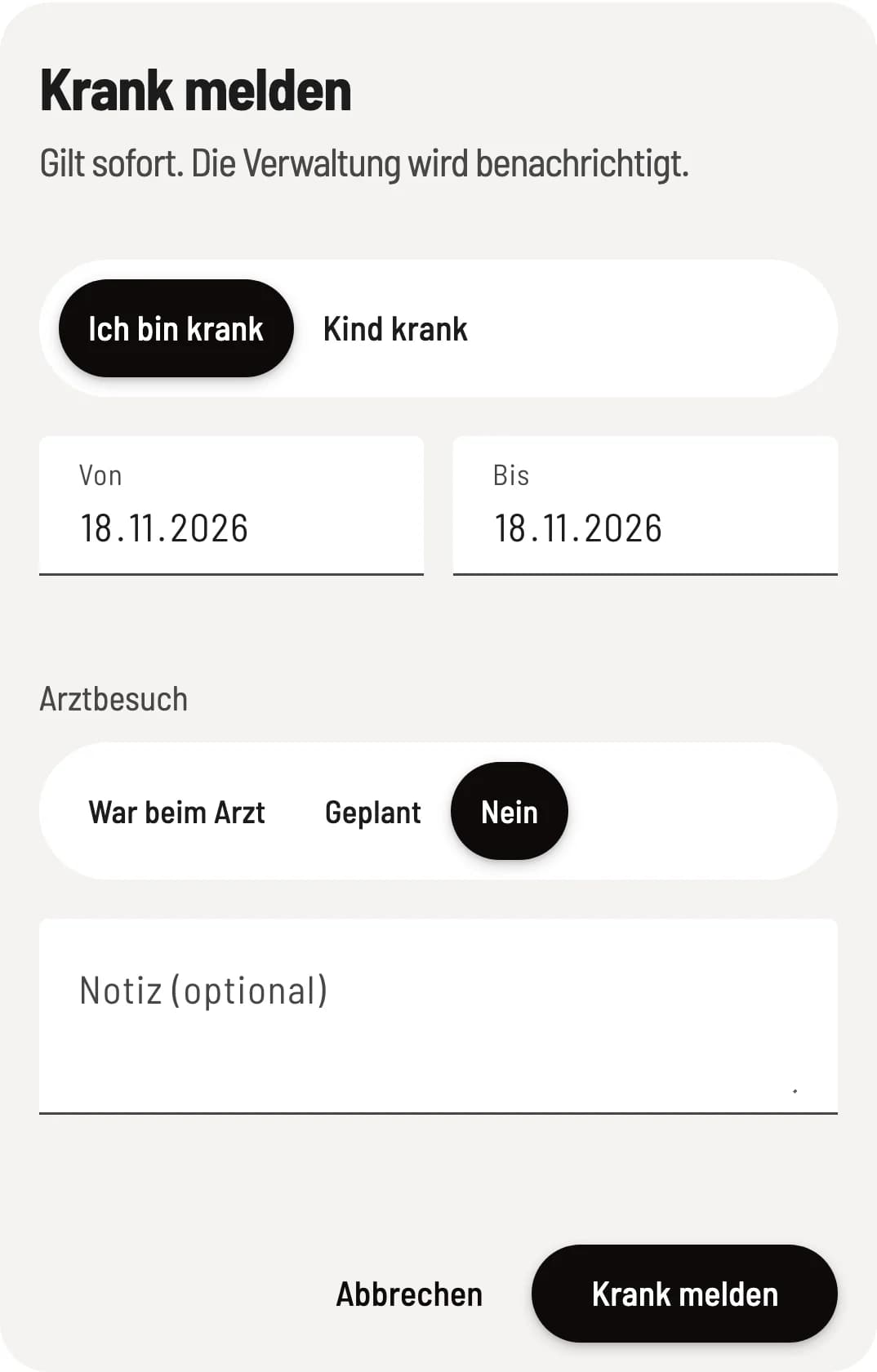
Report sick
Tap Report sick under Overview in the Team area. Select I'm sick or Child sick and the period with From and To: at most 3 days in the past and 14 days in the future. For I'm sick, select Saw a doctor, Planned, or No under Doctor’s visit. Then tap Report sick.
Management reads the Note (optional). Do not write a diagnosis there; the business only needs the fact and the period.
From the 4th day of illness, the business needs your certificate of incapacity to work (AU). Hand it in at the business, uploading is not possible. As long as you are reported sick, Reported sick: … until … appears at the top of the Overview.
If it takes longer, you report sick again and set From to the day after the previous end date. Servire then extends the existing report. You cannot withdraw a sick report yourself; let the business know for that.
For management
The owner and everyone with Use Web desk and Manage roster or Manage time tracking & wages are notified. The person's shifts remain assigned; in the roster, Sick – reassign or Child sick – reassign appears on them. In the absence, Set shifts in this period to open puts them in the Unfilled row. Colleagues only see Absent in the Team area.
Under Employees in the Requests tab, new reports appear at the very top in the Sick reports section, with period, doctor's visit, and note. You confirm a report with Acknowledged. As long as a sick report for the month is not acknowledged, the wage export cannot be generated. If the person extends their report, it is open again.
Once the AU is available, click Sick note received on the report. After acknowledgment, you will find the same switch in the Edit absence window: by clicking on the absence in the roster or under Edit employee → Absences & leave. If the AU is missing from the 4th day, the wage export points this out.
Child sick
Child sick is unpaid by default; the health insurance fund pays the child sickness benefit. If you pay anyway, turn on Paid in the absence. The wage export lists the days as a note. There is no AU for child sick.
Sick during vacation
If someone falls ill during vacation, the sick report may overlap with the vacation. As soon as Sick note received is set, the days of illness do not count as vacation (§ 9 BUrlG): Servire returns them to the vacation balance, and … vacation days returned due to illness with sick note. appears next to the vacation. This does not apply to child sick.
Credit without weekly target
If the person has no weekly target, Servire suggests a credit for a self-reported illness: the average of the last 13 weeks, excluding weeks with vacation or illness. In the Edit absence window, you apply it to the Credit per day (hours) field with Apply or enter your own value. Without confirmation, Servire does not credit anything.